







Consistent reporting
Turn the same PI Vision displays into repeatable reports for shifts, batches, events, and management review.
Vision Report+ for AVEVA PI Vision
Create scheduled, event-triggered, and on-demand reports from the PI Vision displays your teams already use—for shifts, batches, downtime, compliance, and management review.

The reporting gap
PI System data may already be available, but turning it into a reliable report often requires screenshots, Excel workbooks, custom scripts, data pipelines, or IT-built reporting systems. Vision Report+ keeps the reporting workflow connected to PI Vision.
The shift
Design the report once, run it on a schedule or Event Frame, deliver it automatically, and keep the generated record connected to PI Vision.
The outcome
Turn the same PI Vision displays into repeatable reports for shifts, batches, events, and management review.
Run reports on a schedule or when an Event Frame starts or ends, then send them to the people who need them.
Keep generated outputs, executions, reruns, retention, and report history available within the PI Vision workflow.
Workflow
Vision Report+ keeps report creation, timing, delivery, and history in one PI Vision-centered workflow.

01 / Design in PI Vision
Select one or more PI Vision displays, add report pages, and use familiar PI System context as the starting point for a repeatable report.

02 / Add context
Bind pages to assets, Event Frames, custom time ranges, AF time notation, or collection criteria so reports carry the right operating context.

03 / Automate generation
Use recurring schedules, Event Frame creation or completion, manual runs, backfill, or a button embedded in a PI Vision display.

04 / Deliver and store
Send PDFs or images by email, print them, deliver through configured channels, and keep executions available for retrieval and review.

05 / Govern the process
Use permissions, change reasons, version history, and report configuration rollback to support reliable reporting workflows.
Use cases
Choose a reporting scenario to see how Vision Report+ turns PI Vision data and context into a repeatable operational record.
Shift handover
Combine production KPIs, downtime events, operator notes, and key trends into a report that can be generated at the end of every shift.

Batch & production
Use display time, asset context, and Event Frame duration to produce batch records with the same layout and data context.

Downtime & events
Trigger reports when relevant Event Frames start or complete, then send the result to operations, engineering, or quality teams.

Compliance & validation
Use controlled report definitions, permissions, execution history, and configuration versioning to support validation-oriented workflows.

Management review
Combine multiple PI Vision displays into a scheduled management report without rebuilding the data in another reporting system.

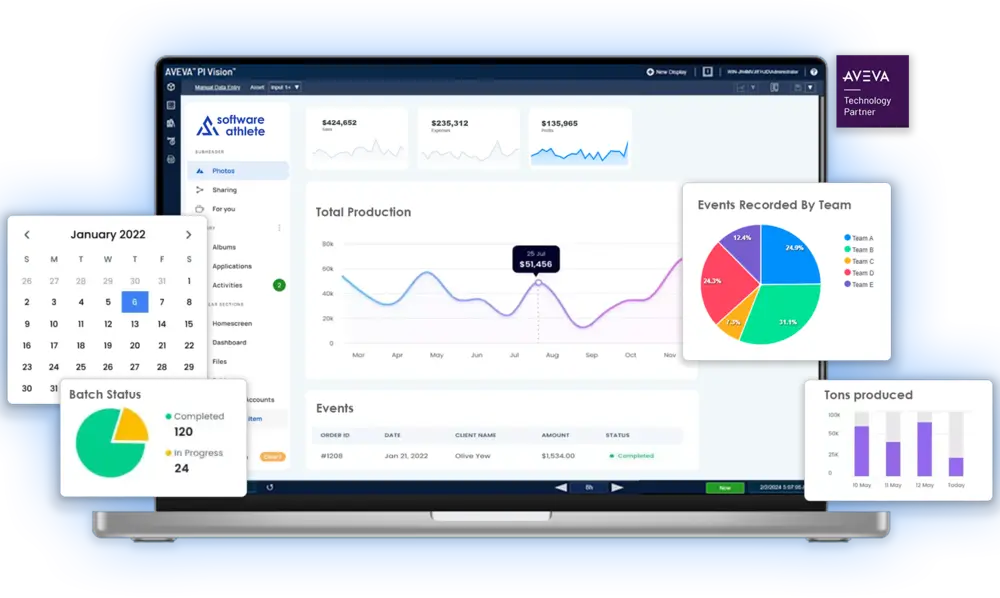
Combined with our Custom Symbol Collection Vision Library+, Vision Report+ will take your PI System reporting to the next level.
Take the next step
Discuss your reporting requirements with Software Athlete or download the Vision Report+ brochure to review the workflow, delivery options, and deployment model.
Vision Report+ FAQ
Get practical answers about turning AVEVA PI Vision displays into scheduled reports, Event Frame reports, and repeatable operational workflows.
Vision Report+ includes a report configuration experience inside PI Vision through its toolbar. Users can assemble a report from one or more existing PI Vision displays, collections, Event Frames, or supported Vision Library+ tables. Administrators use the Configuration Utility for service, security, delivery, storage, and licensing settings.
Yes. Vision Report+ renders existing PI Vision displays into PDF reports without requiring teams to rebuild the display in a separate reporting platform. A report can preserve the display layout, data context, time range, and selected asset or Event Frame context.
Yes. Reports can run hourly, daily, weekly, or monthly according to the schedule your operation needs. Scheduled reports can then be delivered, stored, and reviewed as report executions without requiring someone to open PI Vision and export them manually.
Yes. Reports can be triggered when a selected Event Frame starts or ends. Event Frame templates, databases, queries, asset context, and event duration can be used to ensure the generated report reflects the event that actually occurred.
Yes. A report definition can contain multiple PI Vision display pages, allowing teams to combine trends, tables, KPIs, and supporting context into one operational report. Each configured display can use the report's shared or page-specific time and asset context.
Yes. Generated PDFs and images can be sent through your customer SMTP server or sent to a configured printer. Vision Report+ also supports optional Microsoft Teams webhook delivery and local or network folder storage, depending on your configured workflow.
Yes. Users with the appropriate permissions can rerun past report executions. Backfill lets users calculate and create historical report executions for a selected time range, review the proposed outputs, and choose whether existing reports in that range should be kept or replaced.
Both products support operational reporting from PI System data, but they take different approaches. AVEVA RtReports is a separate reporting product with its own Generator, Editor, and Server components, and is designed around electronic batch reports and report-rule management. Vision Report+ is built around the PI Vision displays your teams already use, adding scheduled, Event Frame-triggered, manual, and backfill reporting with delivery, storage, and execution history. It is a practical fit when the goal is to turn existing PI Vision views into repeatable reports.
Yes. Vision Report+ is designed to run inside your environment and inherit the security model already used by PI Vision, PI AF, PI Data Archive, PI Web API, Active Directory, and optionally AVEVA Identity Manager. Report access is managed through permissions for reading, executing, and editing report definitions.
Yes. You can request a Vision Report+ trial for evaluation in your own AVEVA PI System environment. A trial is the best way to validate display rendering, security, report triggers, delivery, and storage against your actual PI Vision setup.
Vision Report+ is licensed for deployment in your PI System environment and uses a license file installed on the Vision Report+ service host. Licensing depends on your deployment and reporting requirements, so Software Athlete provides the appropriate license scope and commercial offer during the trial or quote process.
Your cart is currently empty.
Start Shopping


