



Display history
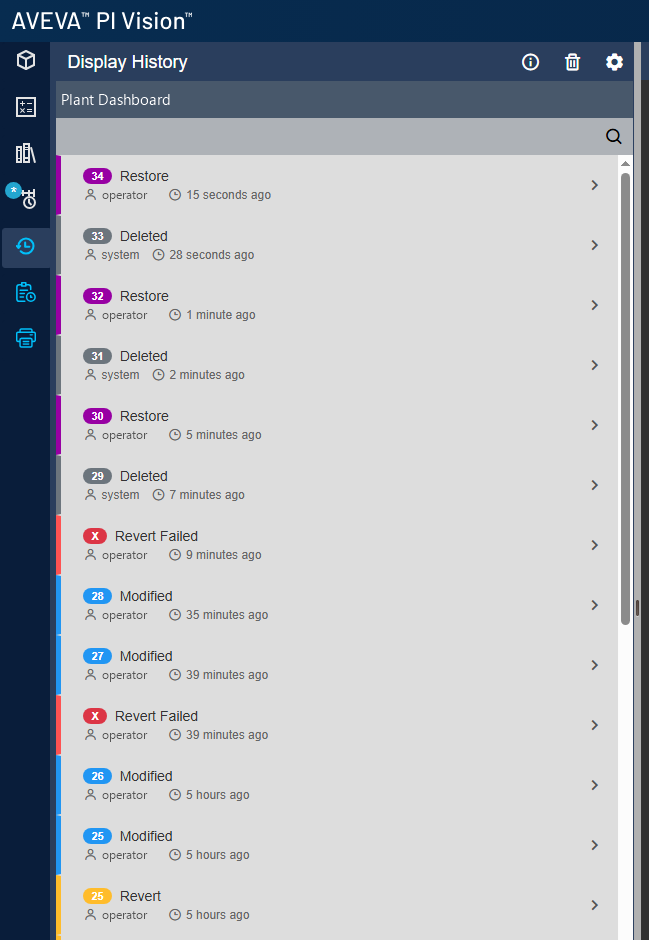
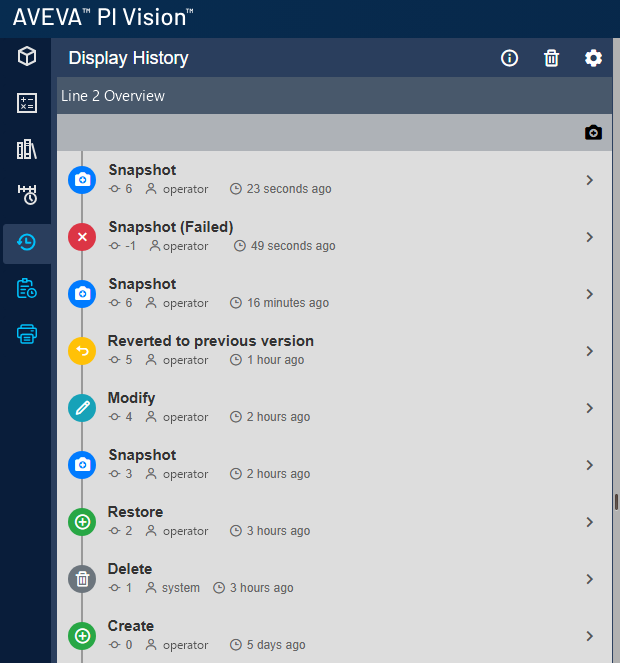
A complete timeline for each display, opened from the PI Vision toolbar.
- Every save, revert, restore and deletion, with user and time.
- Track all displays, or only the ones that matter.
- Approval steps appear in the same timeline.
Vision Audit+ for AVEVA PI Vision
See who changed a PI Vision display, what changed and why. Roll back mistakes, restore deleted displays and lock the displays you have approved.
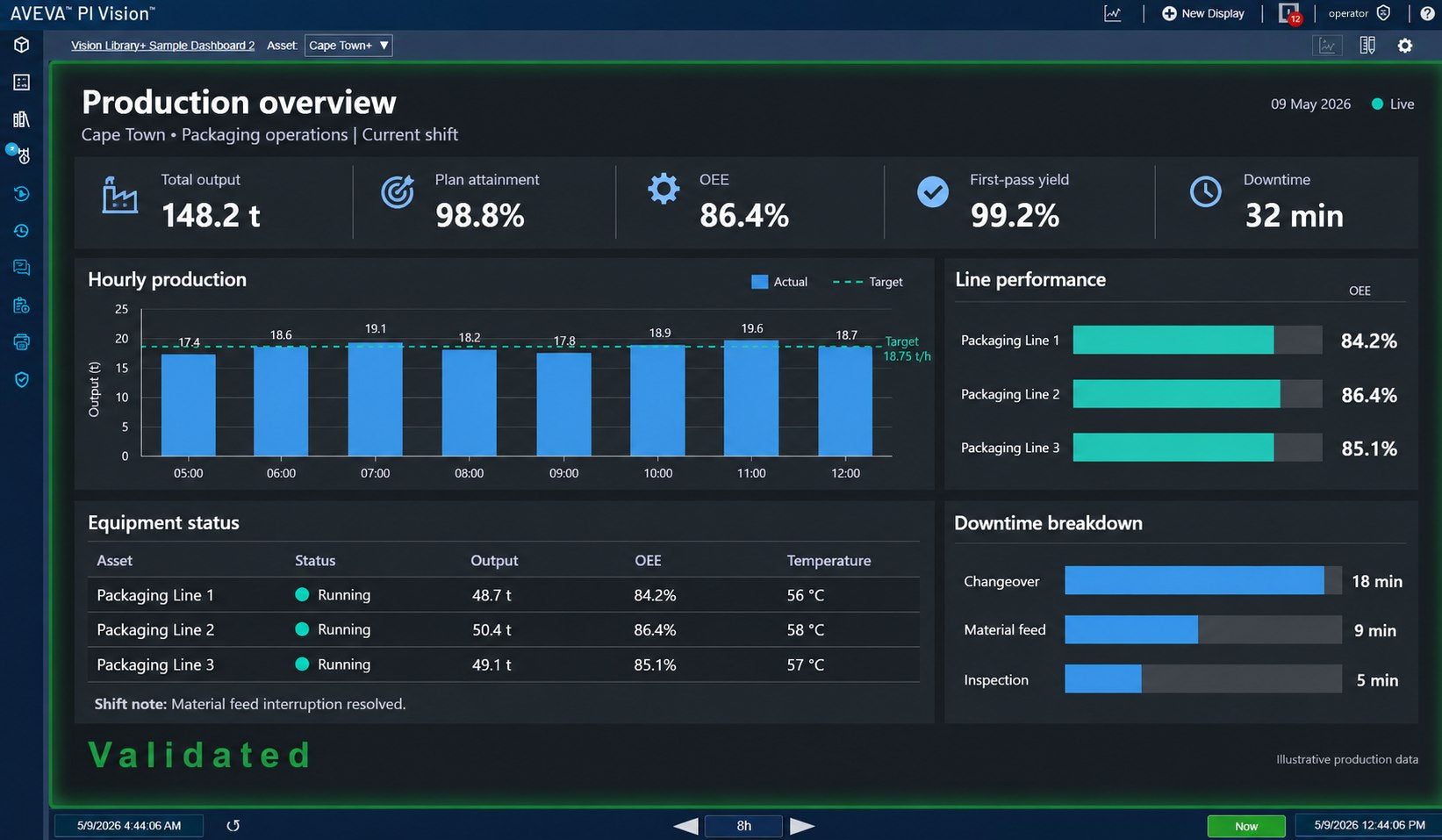
When a trend, value or layout suddenly looks different, the answer is one click away in PI Vision. Vision Audit+ records every display version automatically, with nothing extra for users to do.
A complete timeline for each display, opened from the PI Vision toolbar.
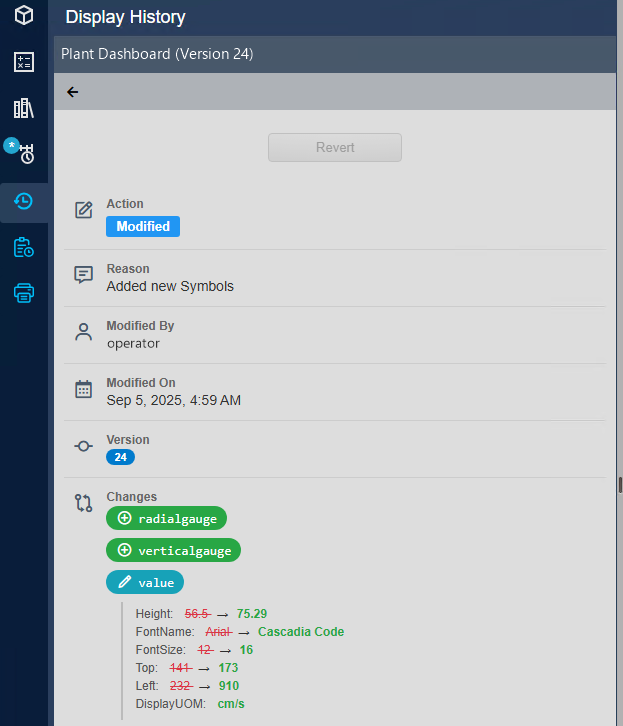
See exactly what was edited, down to the individual symbol.
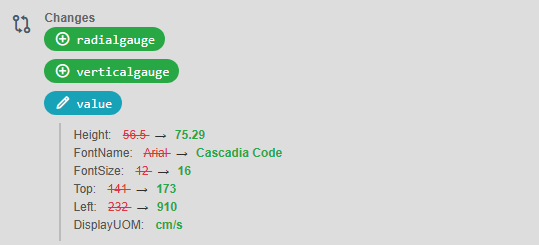
Keep the reason with the change, not in a separate ticket or email.
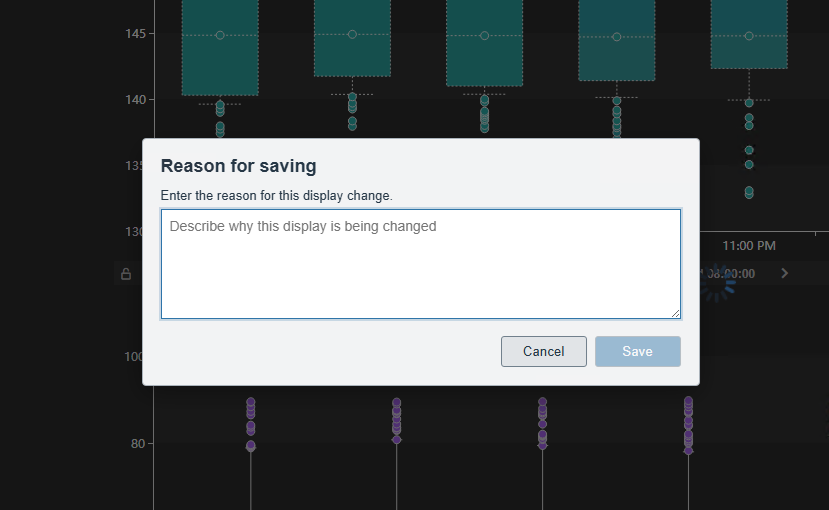
Undo a bad edit in seconds, or bring back a display someone deleted, without rebuilding it from memory or a backup.
Return a display to any earlier version, or restore one that was deleted.
Mark known-good versions and keep as much history as your procedures require.
For displays that run production or support regulated processes, Vision Audit+ adds a review and approval step inside PI Vision and keeps approved displays locked.
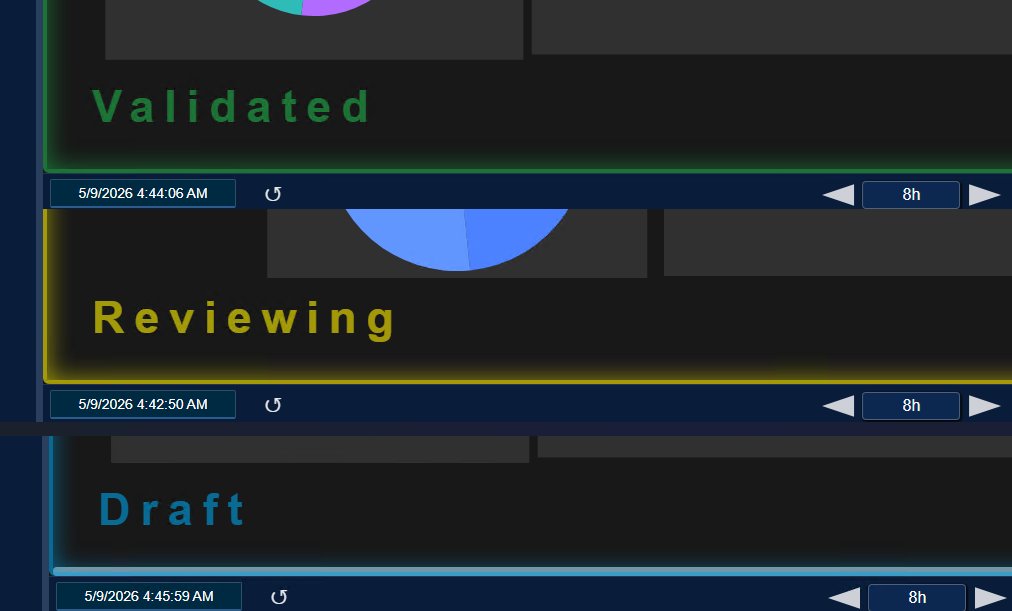
Move important displays through a clear approval workflow.
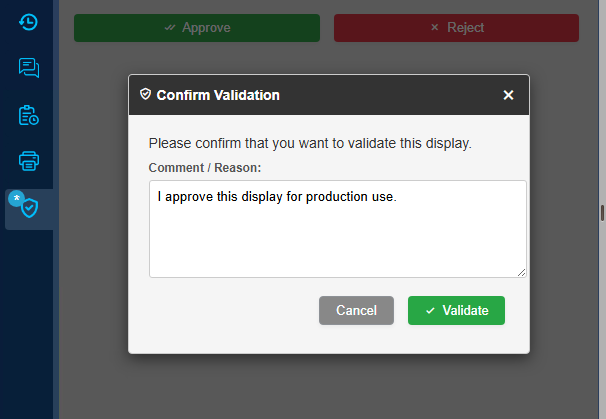
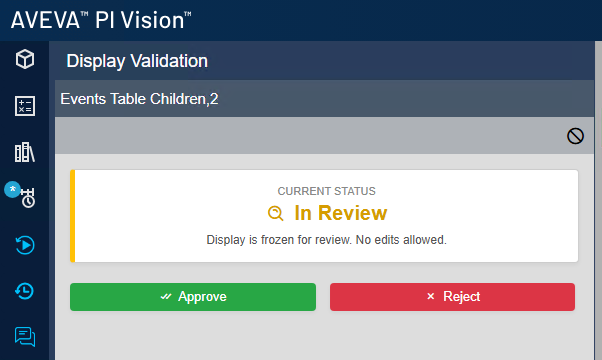
Validated displays stay exactly as they were approved.
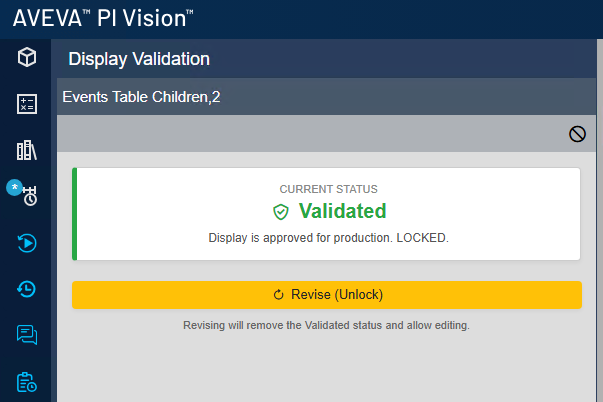
Everyone can see at a glance whether a display is a draft, under review or approved.
Match Vision Audit+ to the roles in your team, and keep an eye on the service itself.
Roles that fit how your organisation works.
Know that change tracking is running, and keep it running.
Four everyday situations, and how Vision Audit+ handles each one.
Vision Audit+ works alongside Vision Report+ for automated PI Vision reports and the Vision Library+ custom symbols.
Every saved version of a tracked PI Vision display, with the user, the time, the symbols that changed and the reason if one was entered. Reverts, restores, deletions and validation steps appear in the same history.
Yes. Revert to any captured version with one click, or restore a deleted display from the recycle bin. You choose how often versions are captured and how long history is kept; Vision Audit+ can only restore versions it has captured.
Yes. Change tracking and the validation workflow can each be turned on for all displays or for individual displays.
No. Validation states, locking, approval reasons and the change history support your own validation and change-control procedures, for example in GxP environments. They do not certify a display or make the PI System compliant on their own.
AVEVA PI Vision 2021 or later and PI Web API 2017 or later, plus PI AF and a Windows server for the Vision Audit+ service. It runs in your own environment, and the required runtime is included in the installer. We go through the details with you before the trial.
Yes. Request a trial for your own PI Vision environment. We confirm compatibility and your trial license details, then email the evaluation instructions. Commercial licensing is quoted for your deployment.
Edit a test display, review its history, restore an earlier version and try the validation workflow with your team. We’ll confirm compatibility and your trial license details, then email the evaluation instructions.
Your cart is currently empty.
Start Shopping

