Event Analytics KPI+ Product Icon

PI Vision Custom Symbol • Vision Library+

High-Level Visibility with Event Analytics KPI+

Stop digging through individual event rows. The Event Analytics KPI+ symbol is a powerful BI component that instantly calculates and displays aggregated metrics in a responsive grid of cards. Spot critical trends at a glance before diving into the details.

Aggregated Insights, Dynamically Generated

Dynamic Calculation Engine

  • Values & Series: Combine Values (the math) and Series (the grouping) to automatically generate multiple KPI cards from your event frames.
  • Summary Types: Apply powerful calculations to your numerical data, including Count, Sum, Average, Minimum, and Maximum.
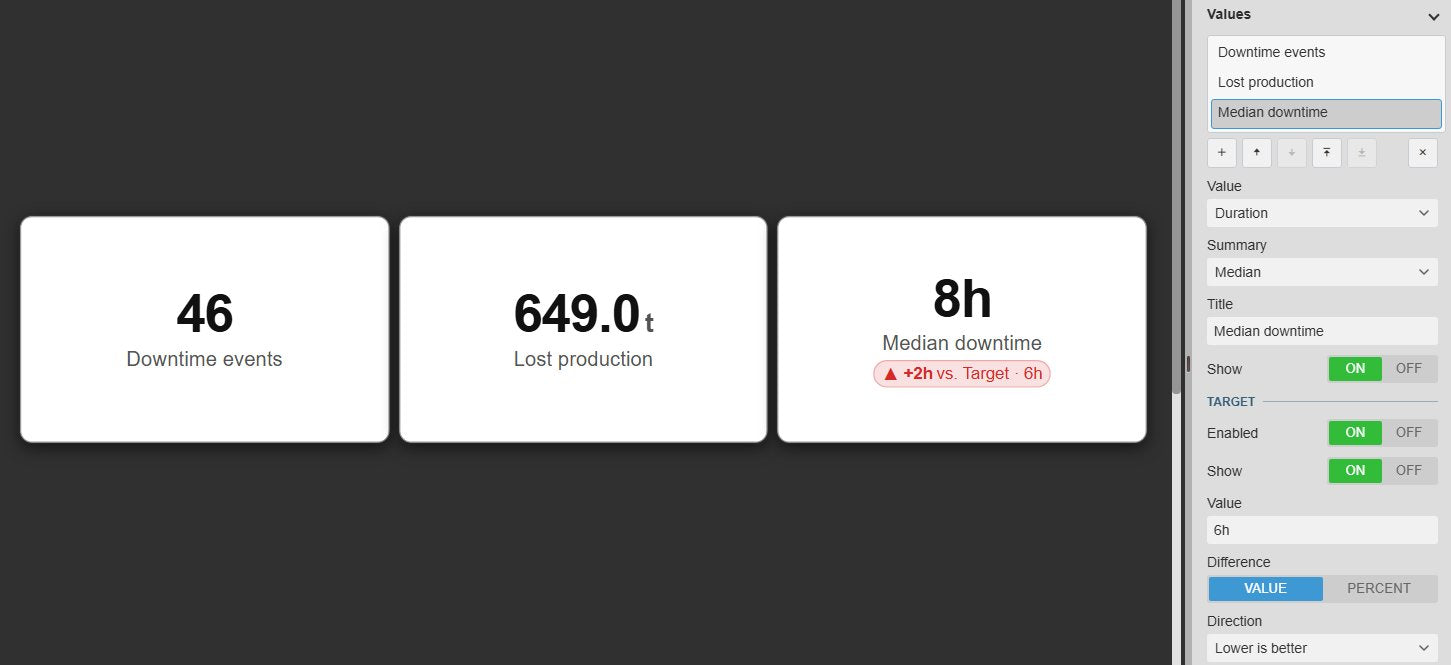
  • Smart Formatting: Time-based properties like Event Duration are automatically formatted into easily readable timespans.

Interactive Dashboards

  • Master Filter: Use the KPI grid as a dashboard controller. Click a card to instantly filter all other Event Analytics charts and tables on the display.
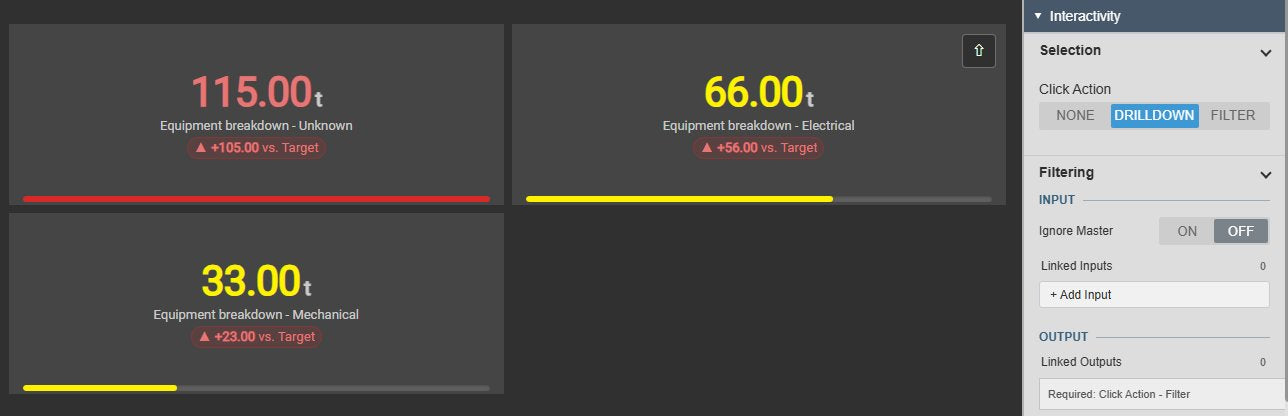
  • Hierarchical Drilldown: Navigate deeper. Click a parent category (e.g., Asset) to animate the cards and reveal sub-categories (e.g., Root Cause).
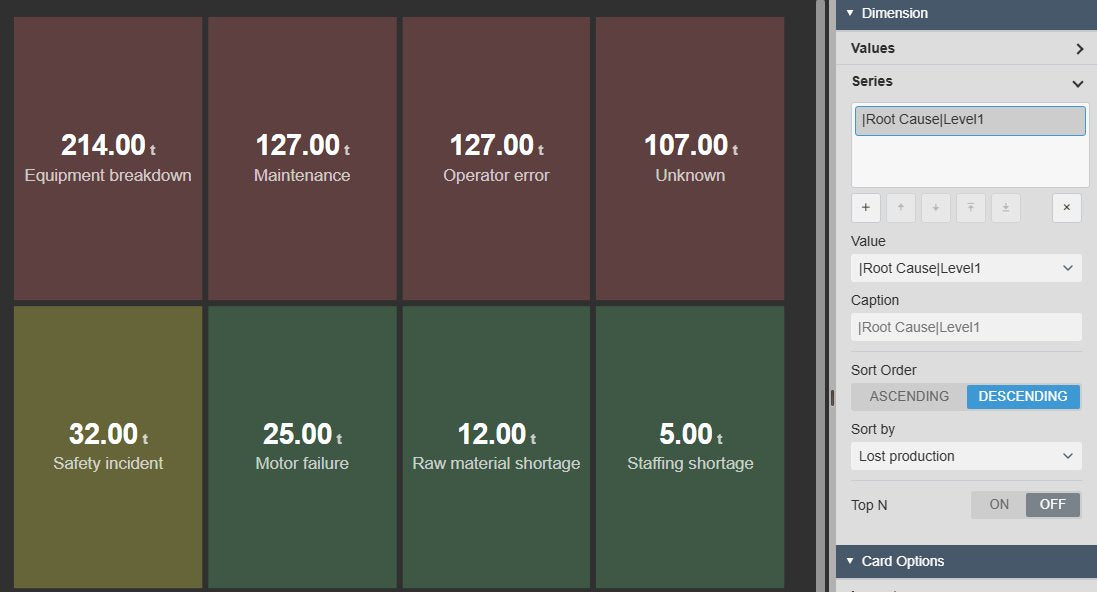
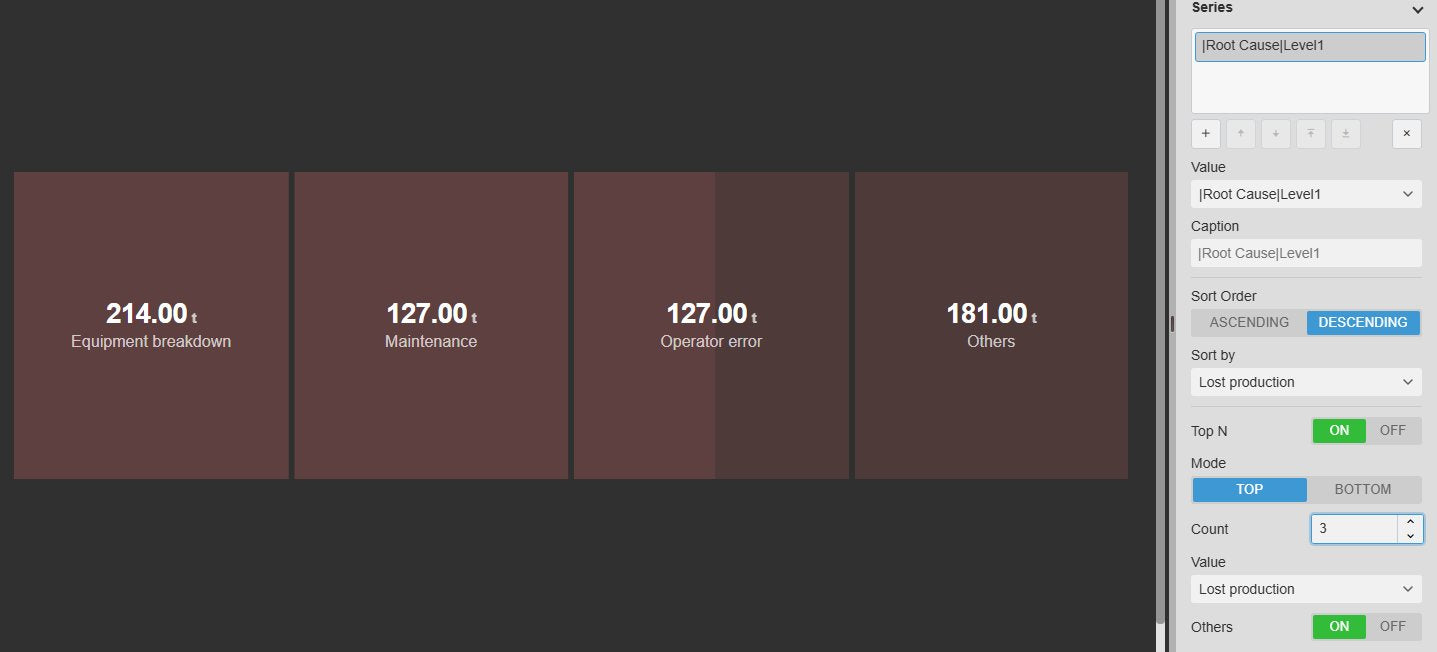
  • Top/Bottom N Analysis: Display only your top bad actors. Group remaining categories into a single "Others" card to preserve your grand total.

Flexible Layout & Styling

  • Auto-Responsive Grids: Choose "Auto" mode to let the symbol dynamically calculate the perfect row and column count to fit your screen.
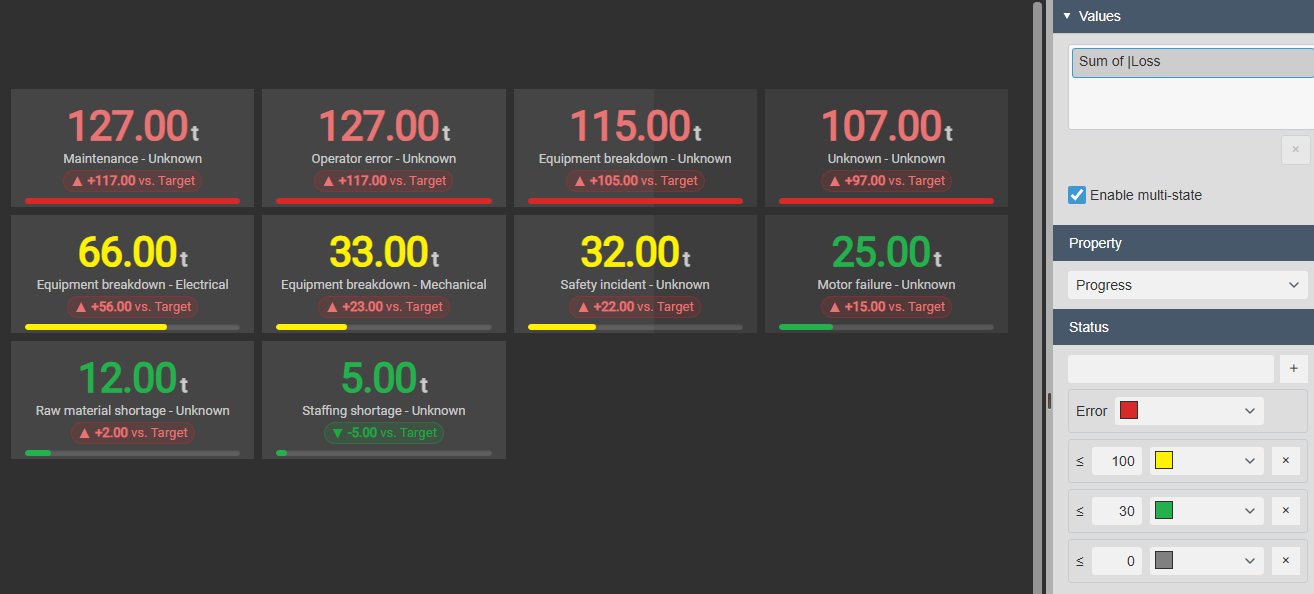
  • Multistate Formatting: Change card colors based on calculated values. Apply alerts to the text, the full background fill, or an accent border.
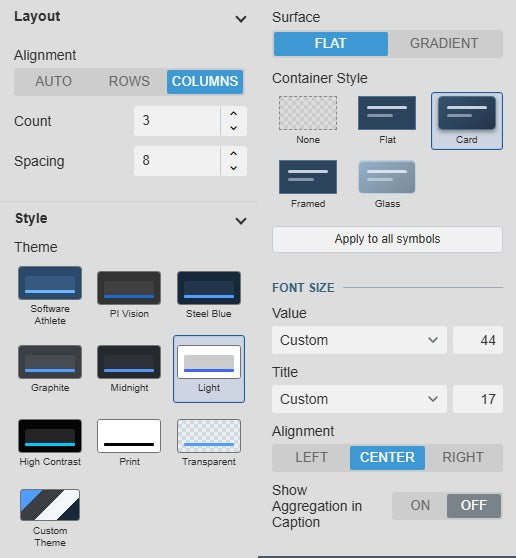
  • Custom Typography: Completely customize font families, sizes, and alignments independently for the massive KPI numbers and their titles.

The Perfect Entry Point for Your Dashboards

Downtime Summaries

Display the Total Duration of all downtime events this week as a single, massive KPI card to keep teams aligned.

Safety & Excursion Counts

Show the exact Count of high-severity safety incidents or environmental limit violations for immediate awareness.

Side-by-Side Comparisons

Matrix your data. Compare the Average Duration of events grouped by different Assets or Root Causes right next to each other.

Dashboard Controller

Act as the interactive header for your BI displays, letting users click a KPI to seamlessly filter the charts beneath it.

Event Aggregation, Summarized Instantly

A grid of KPI cards in PI Vision showing aggregated event values.

Dynamic Card Generation

Configure a Value (like Count) and a Series (like Asset) to automatically generate a distinct card for each unique category, perfectly arranged in an auto-responsive layout.

A selected KPI card glowing, acting as a master filter for the dashboard.

Master Filter Dashboard Control

Click any card to make it glow as the active filter. It instantly broadcasts the selected category to update all other Event Analytics Charts, Pies, and Gantts on the screen.

A drilldown view moving from a parent series to a child series.

Interactive Drilldown

Start with a high-level view (like Assets). Click a card to animate deeper into a second Series (like Root Causes for that specific Asset), complete with a "Drill Up" button to navigate back.

KPI cards displaying conditional formatting on the text, fill, and borders.

Conditional Multistate Formatting

Apply thresholds to your values. Change the number color, fill the entire card background (with auto-contrasting text), or add a sleek colored accent border to the left side.

KPI cards showing top 3 bad actors and an 'Others' summary card.

Top N & "Show Others"

Restrict massive lists to just the "Top 5" assets ranked by downtime. Group all remaining event data into an "Others" card so you never lose the grand total perspective.

Included in Vision Library+

This symbol is available with the Vision Library+ symbol package, click the button below to learn more.

Learn more

Questions?

Click the button below to get in contact, or simply email us at contact@software-athlete.com. We would love to help you.

Contact