PI Vision Custom Tool

Visualize History with Precision Playback

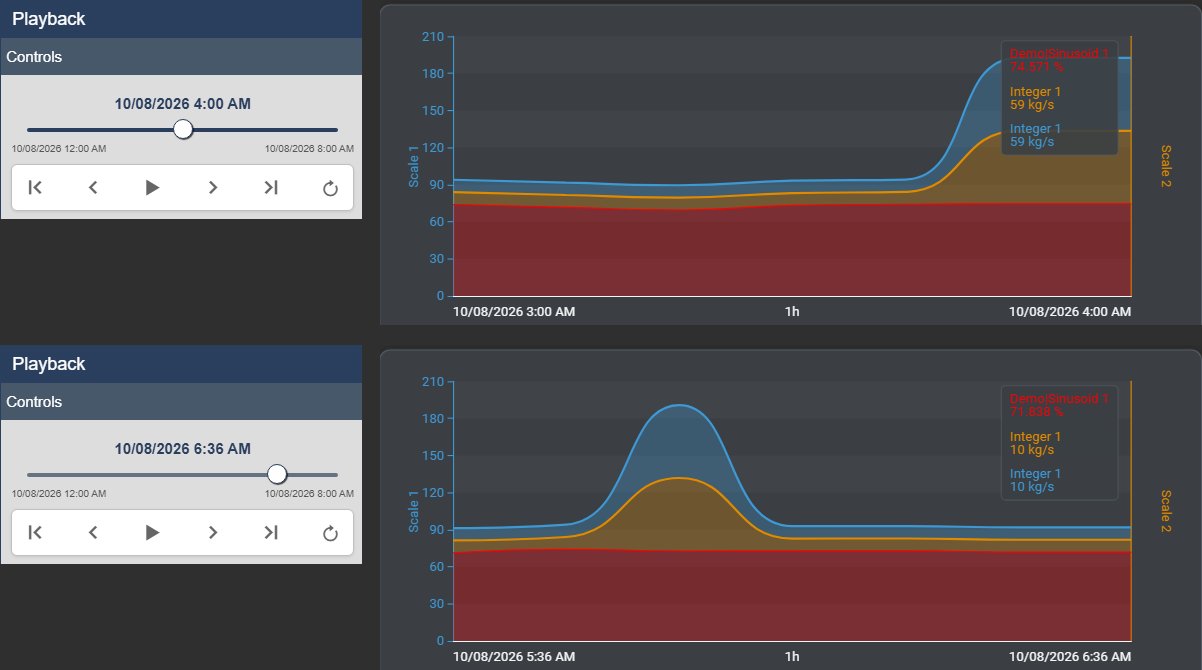
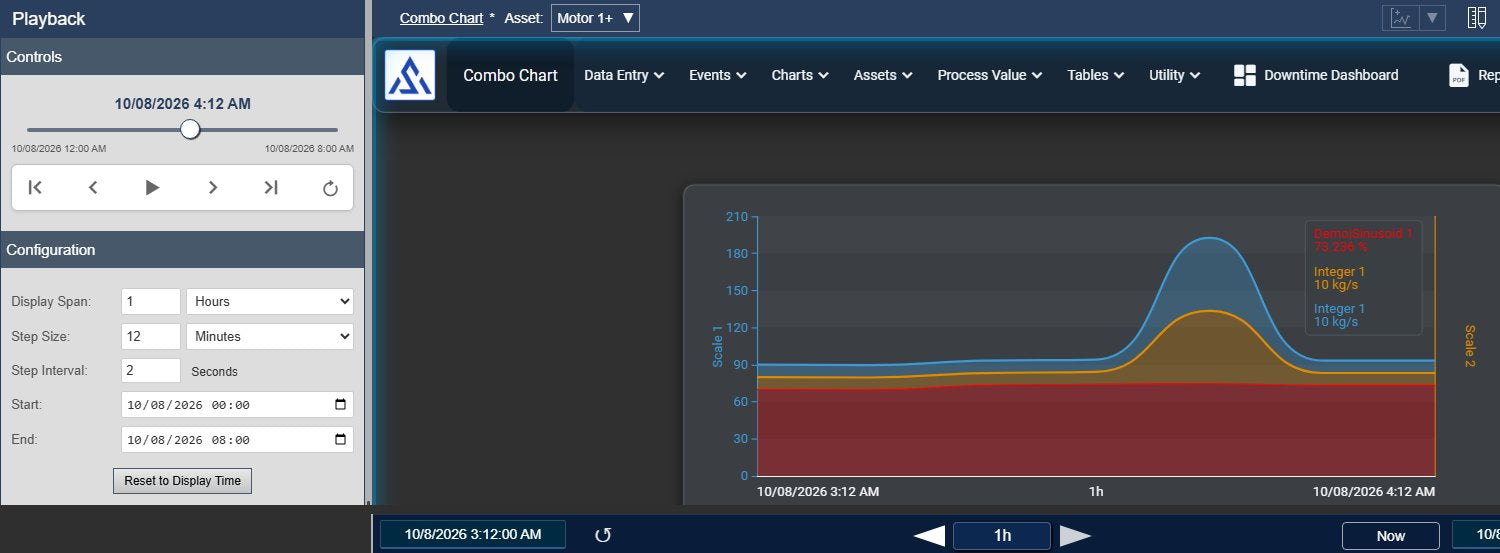
Transform static trends into dynamic replays. The Playback Tool allows engineers and operators to scrub through historical data, define precise time windows, and loop critical events for deep Root Cause Analysis.

Engineered for Root Cause Analysis

Precision Time Control

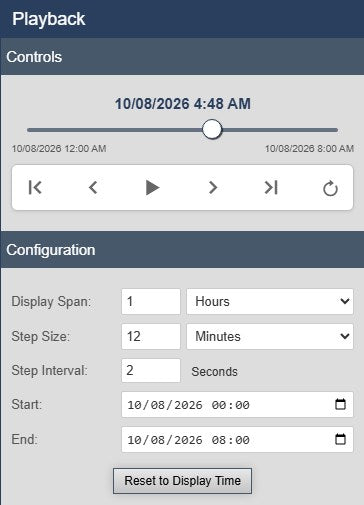
  • Decoupled Span & Step: Unlike standard playback, define a "Display Span" (e.g., 1 hour) independent of the "Step Size" (e.g., 5 minutes) to create overlapping views that ensure no data is missed.
  • Variable Speed: Control the playback speed with a custom interval timer, allowing for slow-motion review of fast process upsets.
  • Loop Mode: Automatically repeat a specific time range to analyze complex event sequences without manual resetting.

Smart Synchronization

  • Context Awareness: The tool detects when you manually zoom or pan the PI Vision display and automatically pauses playback to prevent interference.
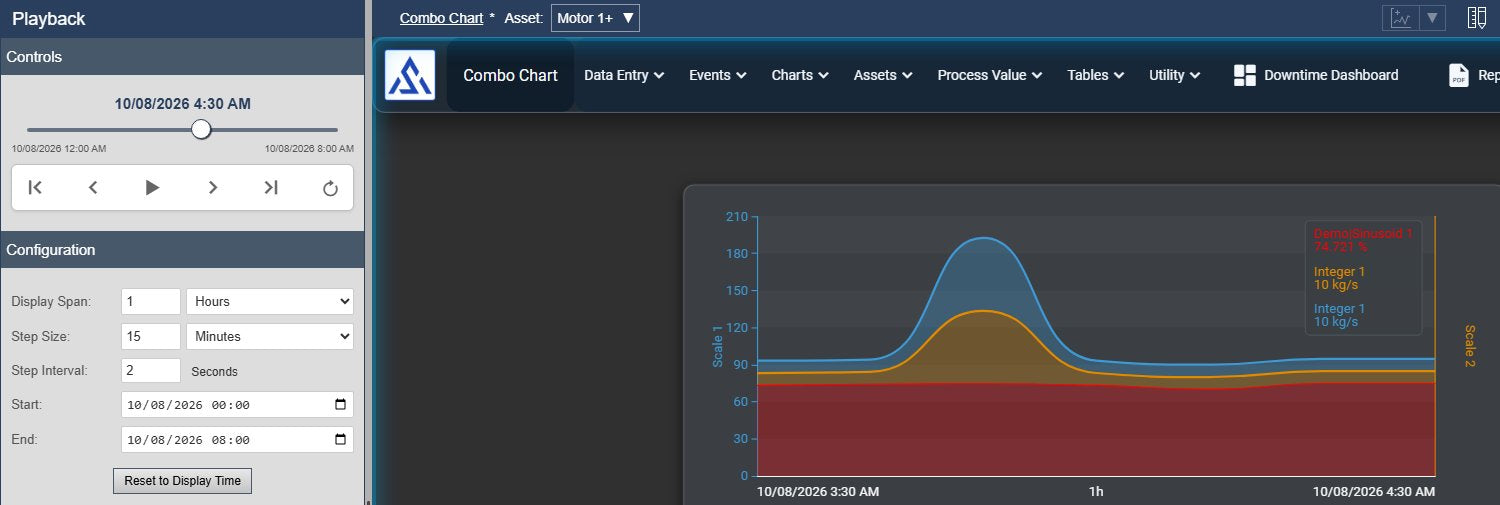
  • Auto-Sync: Clicking "Reset to Display Time" instantly captures your current display range and calculates smart defaults for Span and Step size.
  • Non-Intrusive: The toolbar integrates seamlessly into the workspace without obscuring your critical trends or assets.

Seamless User Experience

  • Keyboard Shortcuts: Navigate your data without using the mouse. Use Left/Right arrows to step through time and Spacebar to Play/Pause.
  • Visual Feedback: A live progress slider allows for intuitive "scrubbing" through the timeline, with distinct badges indicating active playback status.
  • Safe Defaults: "Smart Initialization" ensures the tool opens with settings relevant to your current view, preventing accidental jumps to irrelevant dates.

Solve Complex Analysis Workflows

Root Cause Analysis

Isolate a production failure. Set a loop around the 10-minute window of the event and replay it repeatedly to spot the exact moment a sensor deviated.

Operator Training

Replay historical startup or shutdown sequences in real-time speed to train new operators on what "normal" looks like on the dashboard.

Shift Reviews

Rapidly review the previous 8-hour shift in just a few minutes by setting a large step size, allowing supervisors to catch anomalies quickly.

Process Optimization

Visualize the correlation between upstream changes and downstream effects by replaying data across multiple assets simultaneously.

Intuitive Interface

Everything you need to manipulate time, contained in a single, clean toolbar.

Timeline Scrubbing

The interactive slider provides immediate feedback on your position in time. Drag it to instantly jump to any point in the range, with a clear timestamp readout above.

Flexible Configuration

Define custom "Display Spans" (window size) and "Step Sizes" (jump distance) independently. Choose units ranging from Seconds to Years to fit any process speed.

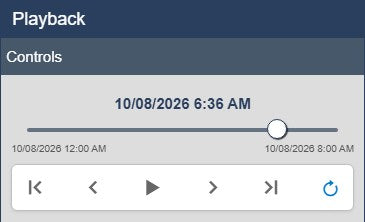
Loop & Replay

Activate "Loop Mode" via the toolbar button to continuously replay a specific event window, allowing for hands-free analysis of complex data patterns.

Smart Sync

The "Reset to Display Time" button instantly reads your current chart view and calculates intelligent defaults, keeping your workflow smooth and error-free.

Included in Vision Library+

This symbol is available with the Vision Library+ symbol package, click the button below to learn more.

Learn more

Questions?

Click the button below to get in contact, or simply email us at contact@software-athlete.com. We would love to help you.

Contact