
Software Athlete
Alarm Table+
Shipping & Returns
Row content
Compatibility
Row content

PI Vision Custom Symbol
Build Actionable Alarm Tables Directly in PI Vision
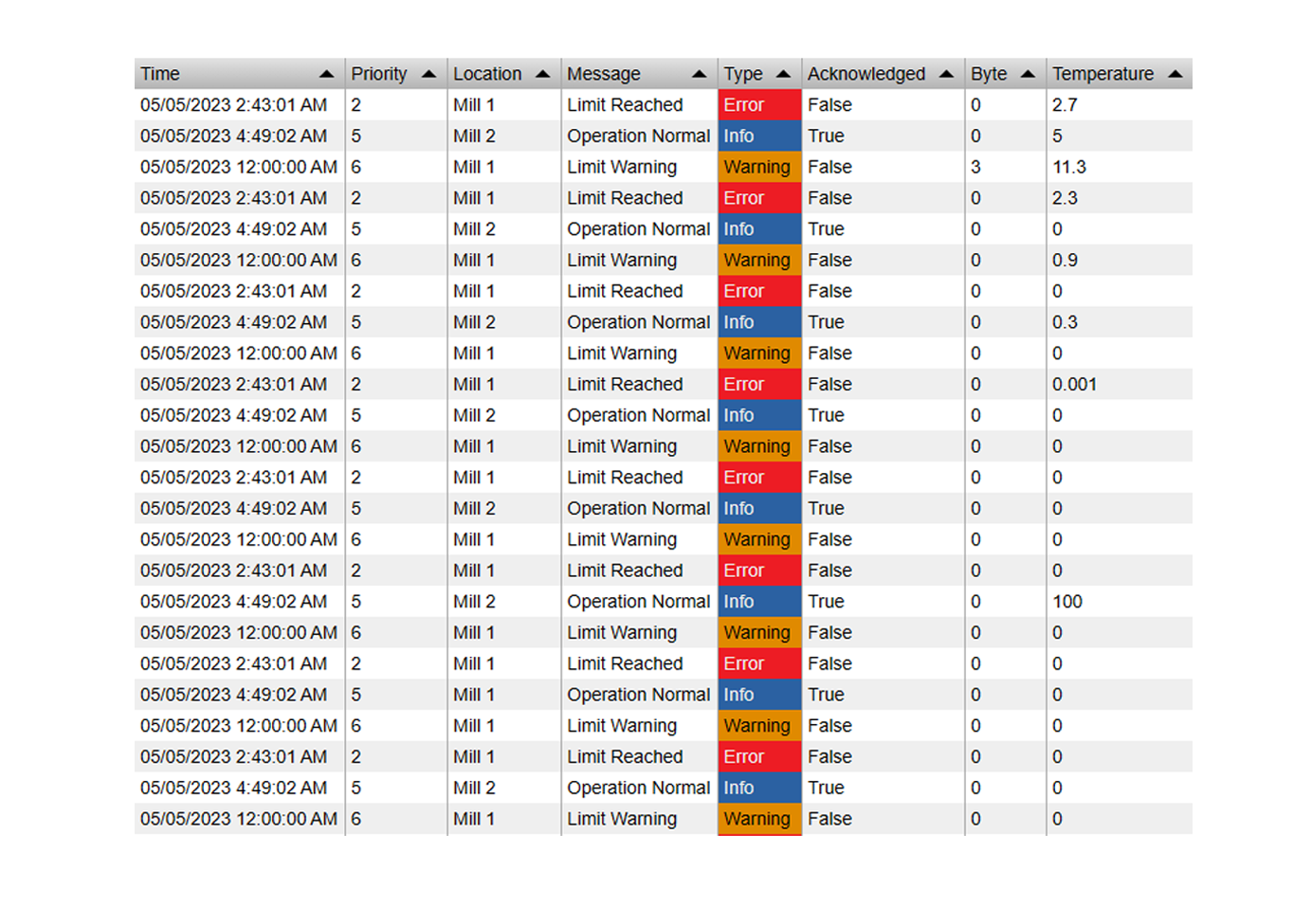
Alarm Table+ turns AF attributes and calculations into configurable, operator-ready alarm rows with dynamic limits, severities, acknowledgement, sound, history, filtering, grouping, and export built into one PI Vision symbol.
From Process Values to Operator Response
Configurable Alarm Logic
- Static and Dynamic Limits: Compare values against fixed thresholds or AF limit attributes that vary by asset.
- Multiple Conditions: Define high, low, digital, Boolean, or text-based alarm rules for each monitored attribute.
- Deadband Support: Reduce nuisance alarms when numeric values hover around a threshold.
Built for Operator Workflow
- Acknowledgement: Let operators mark alarm rows as seen, with configurable severity thresholds and row highlighting.
- Audible Alerts: Trigger built-in alarm sounds when unacknowledged alarms reach the selected priority level.
- Summary Counts: Show compact totals by severity and acknowledgement state above the table.
Live and Historical Review
- Current Mode: Show active alarms from the latest PI Vision values for live operational monitoring.
- History Mode: Reconstruct alarm intervals with start time, end time, duration, start value, and end value.
- Context Columns: Add supporting data attributes so every alarm row includes the values operators need to act.
Prioritize Abnormal Conditions Before They Become Bigger Problems
Equipment Protection
Highlight high temperature, pressure, vibration, or load conditions before they damage equipment or interrupt production.
Process Upset Monitoring
Show active excursions from operating limits, quality bands, or state expectations in one filterable alarm table.
Operator Handover
Use acknowledgement, summary counts, grouping, and export to review what is active, what was seen, and what still needs attention.
Alarm History Review
Reconstruct alarm intervals over a selected time range to investigate duration, recurrence, severity, and context values.
One Table for Live Alarms, Context, and Review

Active Alarm Overview
Show current alarm rows with asset, attribute, severity, message, time, value, and acknowledgement state.

Dynamic Limit Monitoring
Use AF limit attributes as thresholds so each asset can alarm against its own operating envelope.

Acknowledgement and Sound
Give operators a clear response path with one-click acknowledgement and audible alerts for high-priority alarms.

Historical Alarm Review
Analyze alarm intervals with start and end values, duration, severity, and supporting process data.