PI Vision Custom Symbol • Vision Library+
Capture Event Context Right in PI Vision with Event Frame Form+
An event frame without a reason, an action or a comment is only half the story. Event Frame Form+ turns your event frames into editable cards, so operators can review events, classify downtime and complete shift logs directly on the display. They don't need PI System Explorer, spreadsheets or a separate application.
Structured Event Data Entry, Built for Operators
Smart, Type-Aware Forms
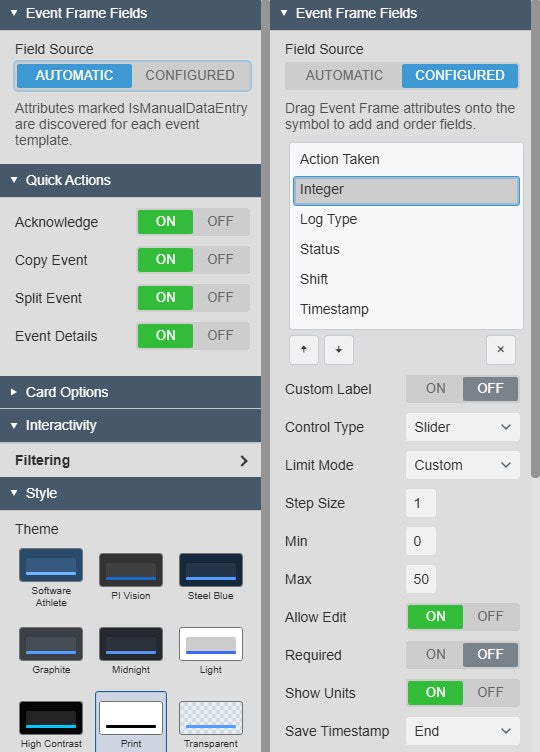
- Automatic or Curated Fields: Discover event frame attributes automatically, or limit the form to an approved list with custom labels and state names.
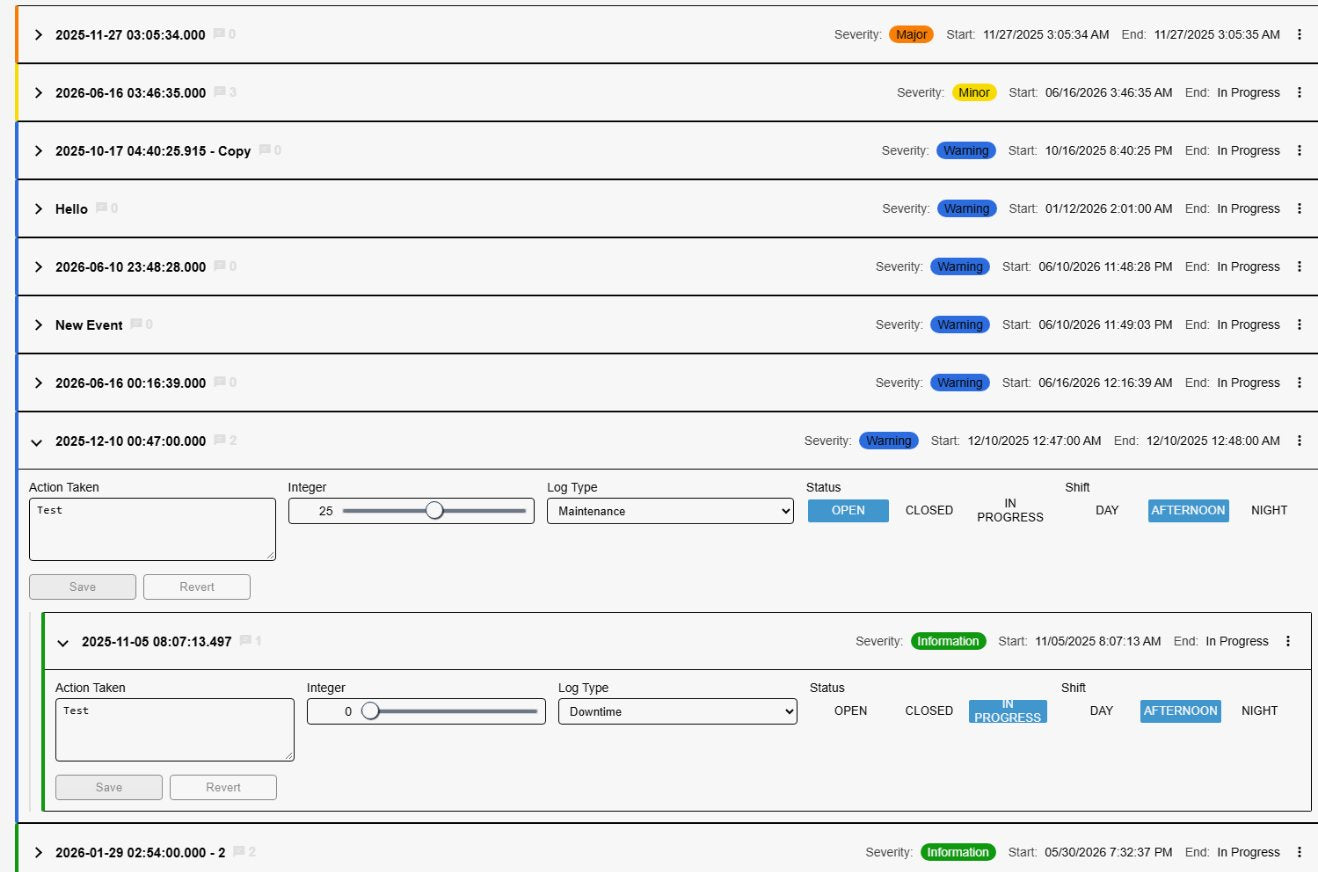
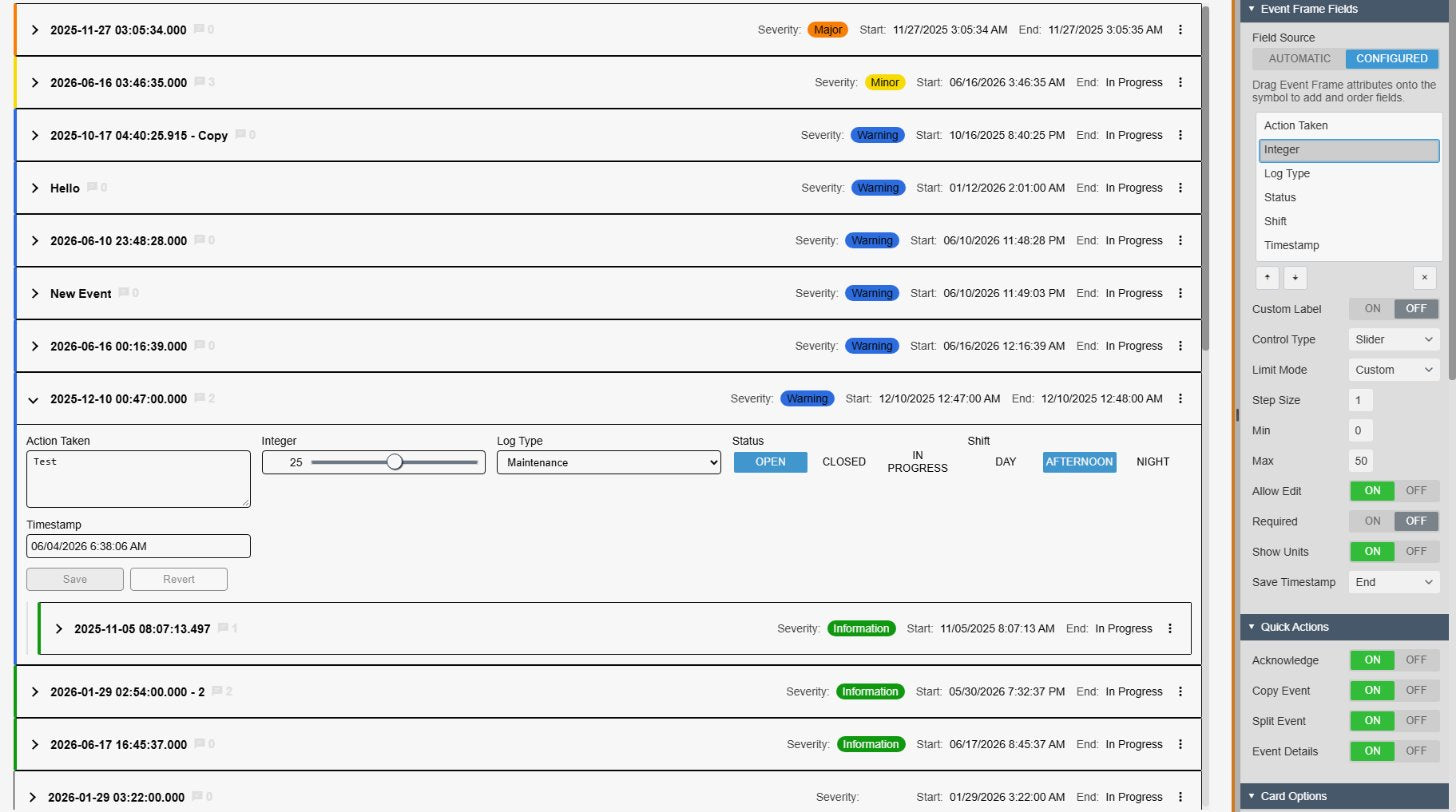
- The Right Control for Every Field: Text and multi-line text, number inputs and sliders, switches and checkboxes, drop-downs, button groups and date/time pickers, chosen automatically from the AF data type.
- Validation Built In: Mark fields as required, apply AF or custom numeric limits, make fields read-only, and choose whether each value is written at the event's start or end time.
Safe, Operator-Friendly Editing
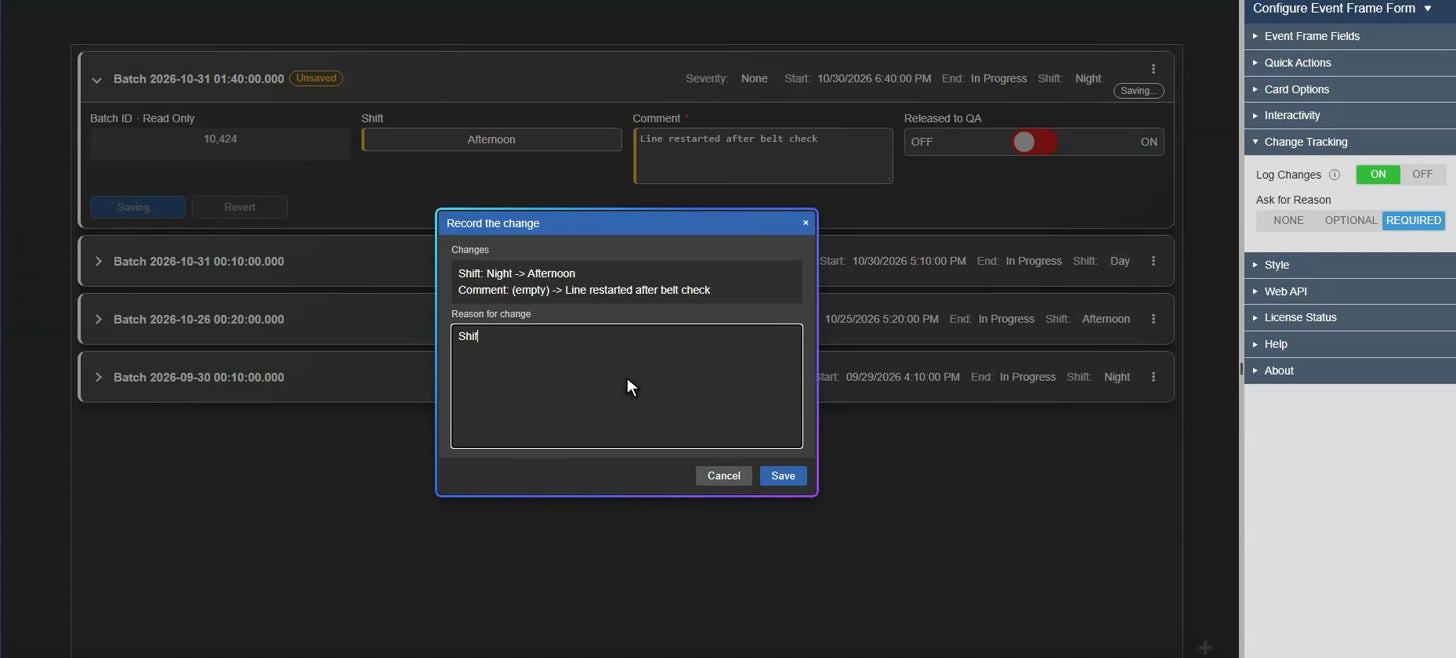
- Save & Revert per Card: Edited fields are outlined and an "Unsaved" badge appears until the card is saved. One click discards unwanted changes.
- No Lost Work: The form warns before users navigate away with unsaved edits, and incoming filters wait until a card has been saved.
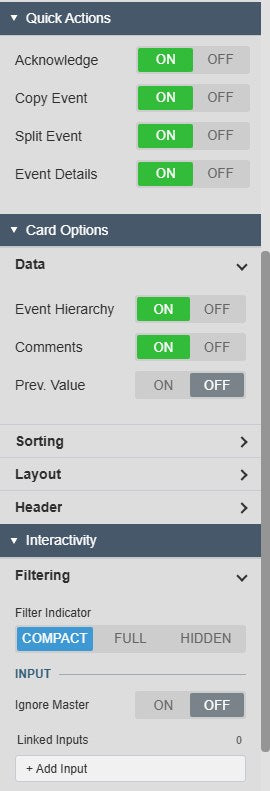
- Quick Actions: Acknowledge events, copy or split an event frame, or open its full details, all from the card header. Only the actions you enable are shown.
Clear, Flexible Card Layout
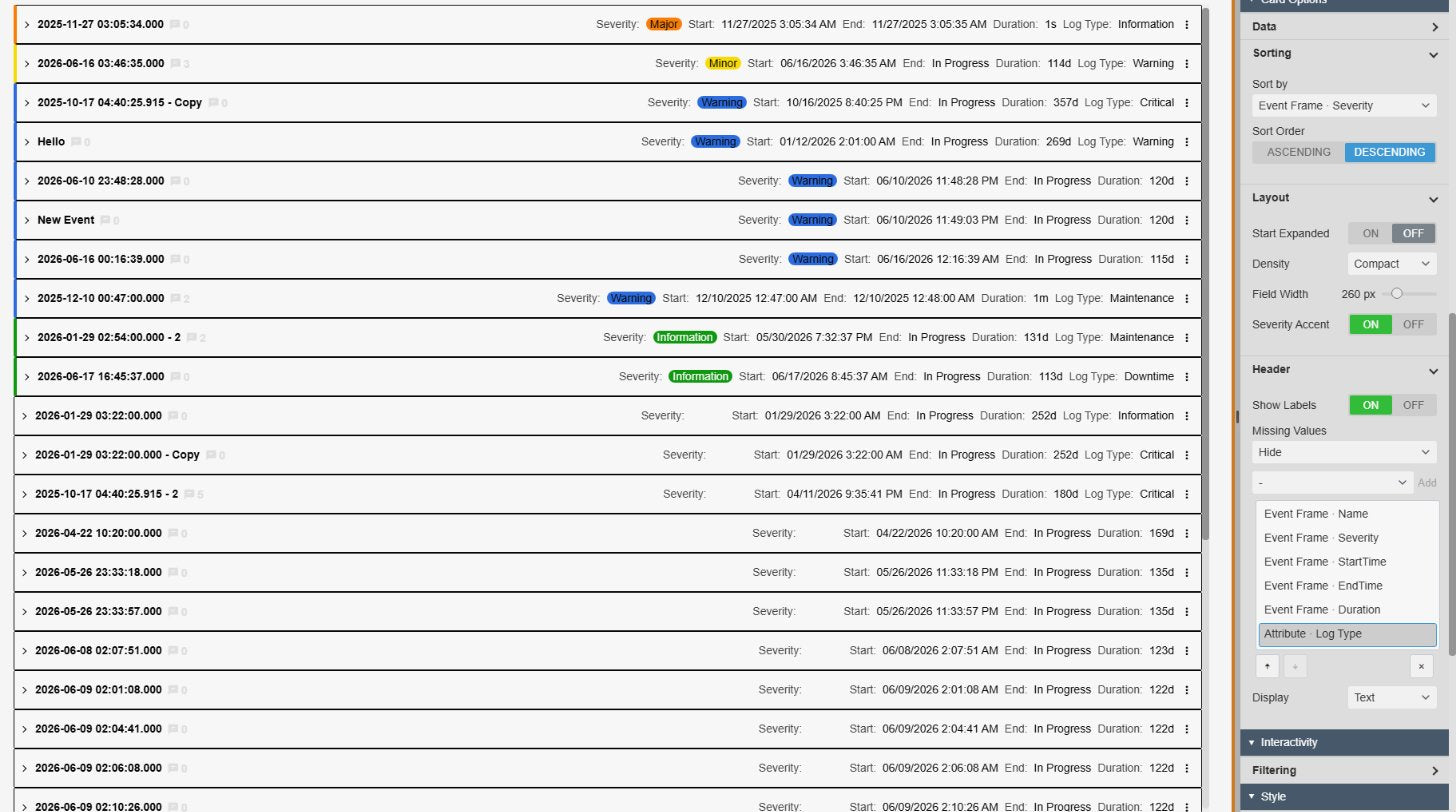
- Scannable Headers: Show the event name, severity, start and end time in every card header, with a severity-colored accent edge that highlights the events that matter.
- Density & Layout Control: Switch between comfortable and compact density, set the field column width, and decide whether cards start expanded.
- Full Event Context: Add child events, comments and the last known value before an event started, and connect the form to other symbols through master and linked filters.
Turn Events into Actionable Records
Downtime Classification
Let operators assign reason codes, root causes and comments to open downtime events, so your downtime reports are complete and accurate.
Digital Shift Logs
Replace paper logbooks. Operators record the shift, status, actions taken and their name directly on event frames that are stored in AF.
Alarm & Excursion Review
Work through limit excursions one by one: acknowledge each event, document the cause and record the corrective action.
Batch & Quality Records
Complete batch or quality event frames with sample results, approvals and required fields, so every record is complete before it is saved.
Review, Edit and Save in Seconds
A Card for Every Event
Every event frame found by the search becomes a card with its name, severity, start and end time. Severity badges and colored edges highlight important events, and one click expands a card to edit it.
Controls Matched to Your AF Data
Text boxes, drop-downs, button groups for status and shift, and date/time pickers are chosen automatically from each attribute's type. Save or revert each card independently.
Questions?
Click the button below to get in contact, or simply email us at contact@software-athlete.com. We would love to help you.