PI Nexus+ / Installation and Administration
9. Open the Web UI
Open the PI Nexus+ web UI after the database setup and runtime identity checks are complete.
Overview
Open the PI Nexus+ web UI after the database setup and runtime identity checks are complete.
Local URL:
http://localhost:5139/Remote URL format:
http://SERVERNAME:5139/PI Nexus+ uses Windows Authentication. The browser should authenticate the logged-in Windows user. The first authenticated user is normally granted initial administrator access so the system can be configured.
If admin access needs to be repaired, run:
C:\Program Files\Software Athlete\PI Nexus+\Admin\Restore-Admin-Access.batA good result for this section is that the web UI opens, the current Windows user is shown correctly, and the Admin section is accessible to the installer/admin user.
9.1 Check SQL Server Connection
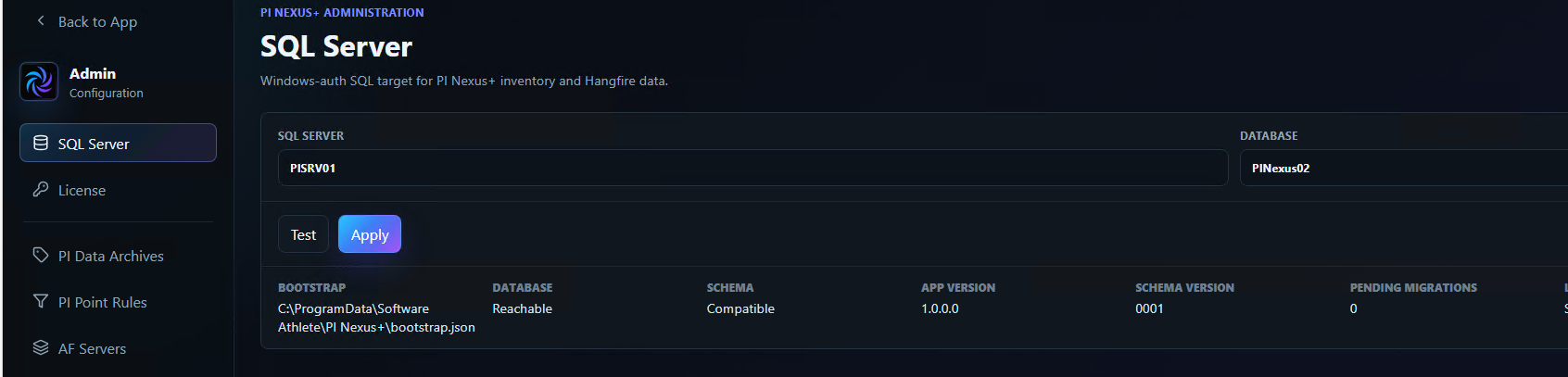
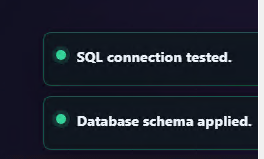
Next, test the connection to SQL Server by going to Admin > SQL Server. Click Test and Apply and confirm that both the SQL connection and database schema checks succeed.