



PI Nexus+ / User Guide
Issues
The Issues page is the primary queue for active and suppressed findings.
Overview
The Issues page is the primary queue for active and suppressed findings.
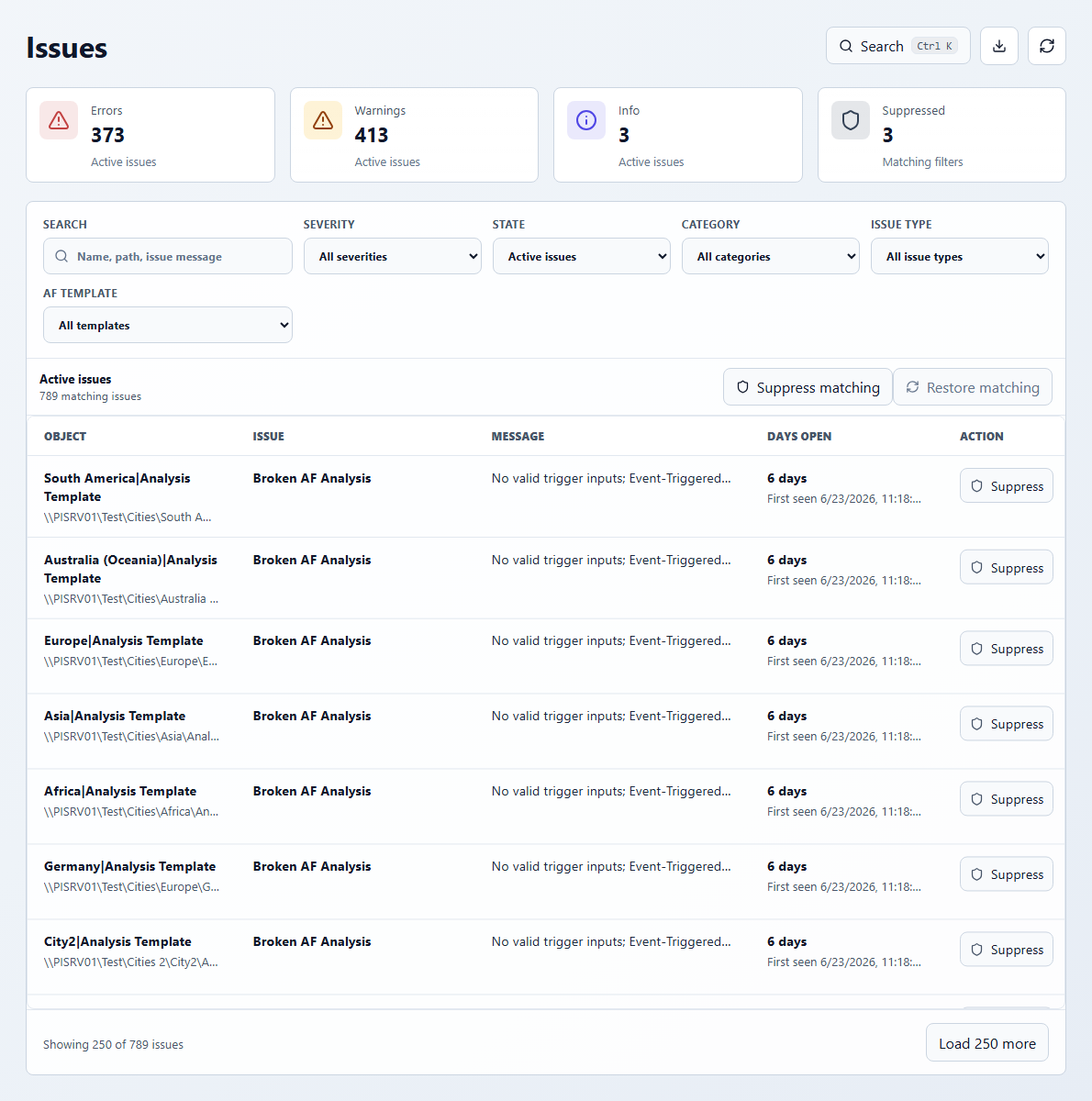
Use the filters to narrow the queue before investigating or taking bulk action:
- Search: object name, path, or issue message.
- Severity: Errors, Warnings, Info, or all severities.
- State: active issues, suppressed issues, or all issues.
- Category: PI Points, AF Attributes, AF Analyses, PI Vision, or all categories.
- Issue Type: a specific materialized issue type.
- AF Template: issue concentration for objects associated with a template.
Each issue row shows the object, issue type, message, days open, and an action button when your role permits issue suppression. Click the row to open the affected object in the detail dialog.
Suppressing Issues
Suppression is for intentional exceptions, not for unresolved root causes. Use it when the condition is expected, accepted, or intentionally outside the current operating context.
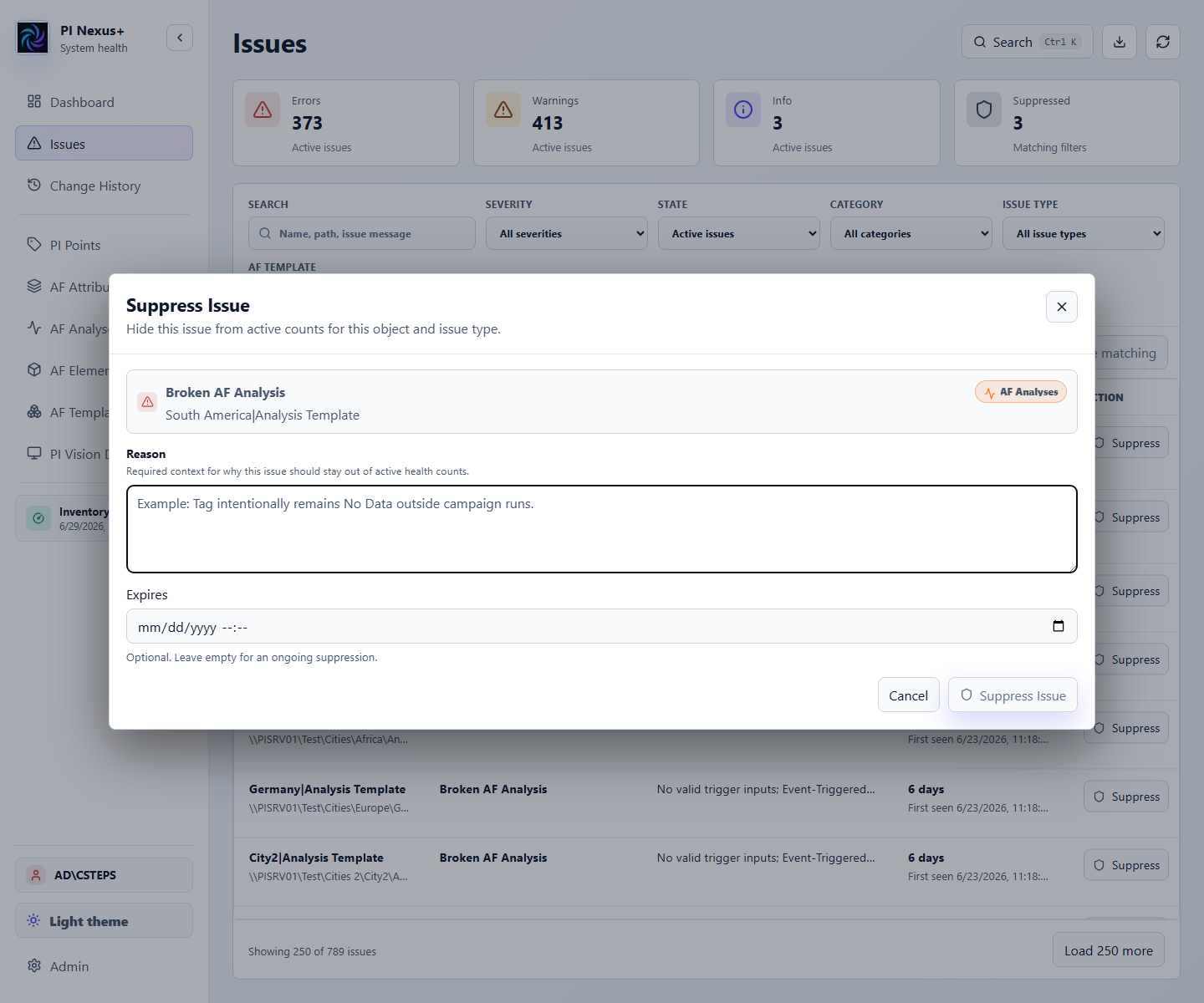
When suppressing an issue:
- A reason is required. Write a reason that another operator can understand later.
- Expires is optional. Use an expiry when the exception should be reviewed again.
- The suppression applies to the matching object and issue type.
- Suppressed issues are hidden from active issue counts and active health rollups.
- Suppressed issues remain visible when the Issues page is filtered to suppressed or all issues.
- Restoring a suppression makes the issue active again if the underlying condition is still present.
Bulk actions use the current issue filters. Suppress matching applies a reason and optional expiry to matching active issues. Restore matching reactivates matching suppressed issues. Large bulk operations can be queued by the application instead of completing immediately.



