



PI Nexus+ / User Guide
Change History
Change History shows inventory changes detected across scans.
Overview
Change History shows inventory changes detected across scans.
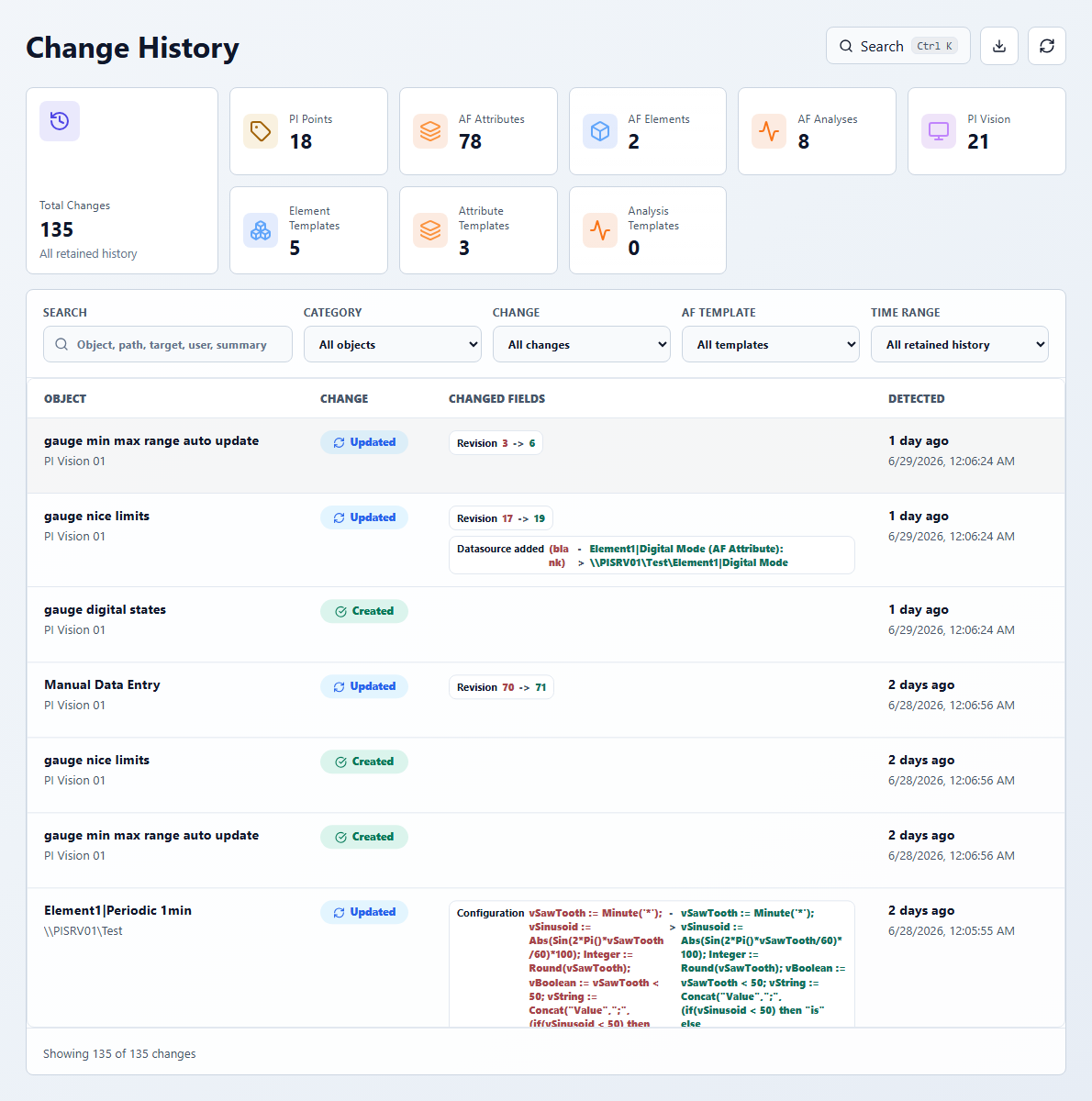
Use this page to answer:
- What changed since the last scan or within a retained time range?
- Did an issue appear after an object was created, renamed, moved, updated, deleted, or excluded?
- Which object category is changing the most?
- Who changed an object, when source metadata provides that information?
Key filters:
- Search: object, path, target, user, or summary.
- Category: PI Points, AF Attributes, AF Elements, AF Templates, AF Attribute Templates, AF Analysis Templates, AF Analyses, or PI Vision Displays.
- Change: Created, Updated, Renamed, Moved, Deleted, or Excluded.
- AF Template: template-focused changes.
- Time range: all retained history, last 24 hours, last 7 days, last 30 days, last 90 days, or custom range.
Click a change row to open the relevant object detail. If the object is no longer active, the detail dialog opens in historical context and explains that the latest scan did not find the object or that it was excluded.



