



PI Nexus+ / User Guide
AF Attributes
The AF Attributes page shows AF Attribute inventory, health, usage, data references, and current value context.
Overview
The AF Attributes page shows AF Attribute inventory, health, usage, data references, and current value context.
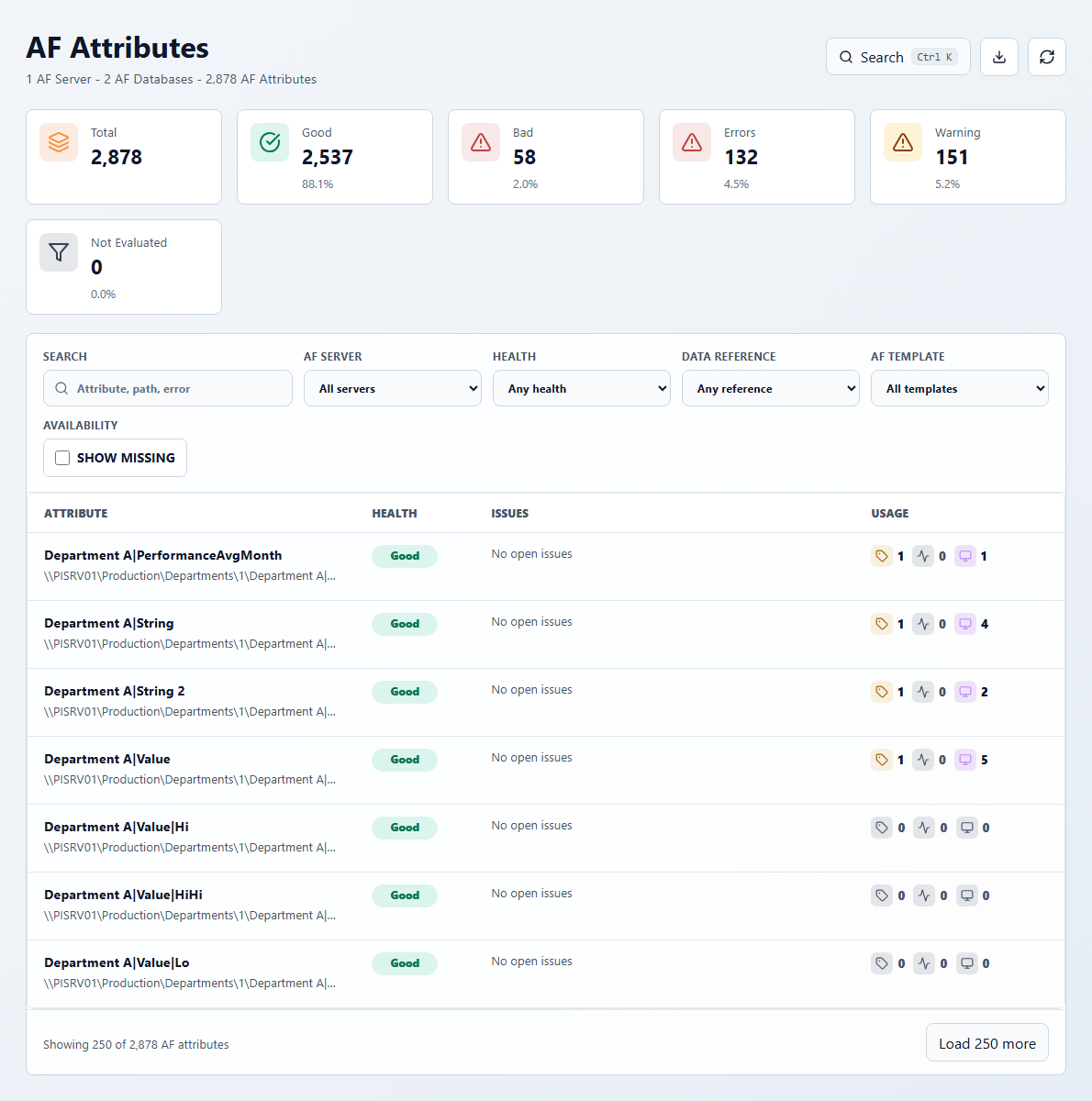
Use this page to answer:
- Which AF Attributes are unhealthy?
- Which attributes are missing PI Points or have bad current values?
- Which attributes feed AF Analyses or PI Vision displays?
- Which attributes represent limit traits such as Lo, Hi, Target, or Maximum?
Key KPIs:
- Total: active AF Attributes in the current inventory.
- Good: evaluated healthy attributes.
- Bad / Errors: error-level attribute health.
- Warning: warning-level attribute health.
- Not Evaluated: attributes intentionally skipped by the configured scan mode or without current scan data for health evaluation.
With Operational attributes scanning, attributes with no data reference, Configuration Item attributes, hidden attributes, and excluded attributes are retained in inventory without a current-value read. Manual Data Entry attributes remain evaluated. If a previously unhealthy attribute becomes skip-eligible, its AF Attribute issue is resolved after the next successful scan while issue history is preserved. A linked PI Point is monitored separately and can continue to show its own issue.
Useful filters:
- Search by attribute name, path, or error text.
- Filter by AF server, health, data reference type, or AF Template.
- Enable Show missing to include attributes not found in the latest scan.
Open an AF Attribute when you need to inspect the linked PI Point, limit traits, owning element/template, analyses that use it, PI Vision displays that reference it, or a dependency graph.
AF Attribute detail
The header summarizes health, the data reference or linked PI Point, analyses, PI Vision displays, and limits. The Datasources tab lists analysis inputs and outputs, PI Vision displays, limit traits, and other incoming or outgoing references. Use the health filter to focus on unhealthy relationships. When the selected attribute is itself a limit attribute, the separate Limits list is omitted because that attribute is the limit; its parent/context and definition still identify the trait.
Basic Information includes parent AF Element and template context, identity and inventory state, value type, default UOM, limit trait, data reference, configuration string, current health and value, value time, and scan/lifecycle state.



