



PI Nexus+ / Installation and Administration
4. Prepare the Service Account
PI Nexus+ needs a Windows account for the PINexusAppPool IIS application pool and the PI Nexus+ Scanner Windows service. This account should also receive the required SQL database permissions and PI System read permissions.
Overview
PI Nexus+ needs a Windows account for the PINexusAppPool IIS application pool and the PI Nexus+ Scanner Windows service. This account should also receive the required SQL database permissions and PI System read permissions.
Use a dedicated domain service account in production-like environments. The examples below use DOMAIN\svc-pinexus; replace this with the actual account name used in the environment.
Recommended format:
DOMAIN\svc-pinexusAllowed formats:
DOMAIN\svc-pinexus
.\svc-pinexus
svc-pinexus@domain.example
Do not use a bare username such as:
svc_pinexusBare usernames are ambiguous. Windows APIs can interpret them differently, especially during IIS app pool and Windows service configuration. Always include the domain, local-machine prefix, or user principal name.
4.1 Grant Local Windows Rights
Before running the installer, grant the PI Nexus+ service account the local Windows rights needed to run IIS and the scanner service.
| Right | Required for | Why it is needed |
|---|---|---|
Log on as a batch job | IIS app pool | IIS uses this right when running the app pool under a custom account |
Log on as a service | PI Nexus+ Scanner Windows service | Windows Service Control Manager requires this right for services that run under a custom account |
Configure these rights in:
Local Security Policy
  Local Policies
    User Rights Assignment
Or through Group Policy:
Computer Configuration
  Windows Settings
    Security Settings
      Local Policies
        User Rights Assignment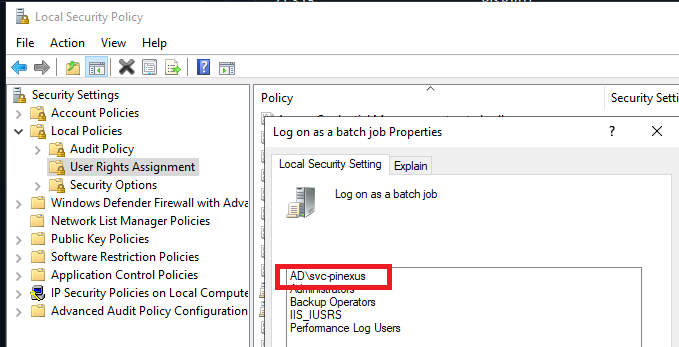
Also confirm the service account is not listed in:
Deny log on as a batch job
Deny log on as a service
If domain Group Policy controls these rights, update the domain policy before installing. Local changes can be overwritten by Group Policy, which can make an installation appear correct at first and then fail after policy refresh.
A good result for this section is that the service account is listed under both required allow rights and not listed under either deny right.
4.2 Grant PI System Read Access
PI Nexus+ reads configuration and metadata from PI System components. It does not require write access to PI Data Archive, AF, or PI Vision for inventory scanning.
Grant the PI Nexus+ service account read access to:
- PI Data Archive servers that should be scanned.
- The PI Module Database
%OSI\Interfaceshierarchy on each Windows-authenticated PI Data Archive where PI Interface Intelligence is required. - AF servers and AF databases that should be scanned.
- PI Vision SQL databases, if PI Vision inventory is used.
For PI Vision inventory, create a SQL Server login for the PI Nexus+ service account or map an existing group, then grant that login db_datareader access to each PI Vision database that PI Nexus+ should scan.
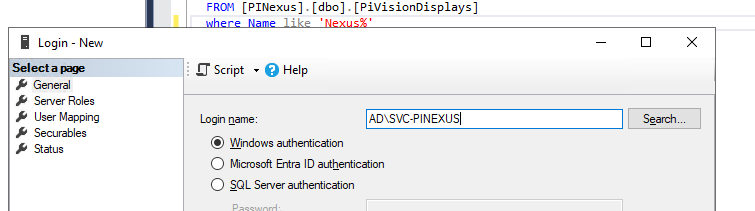
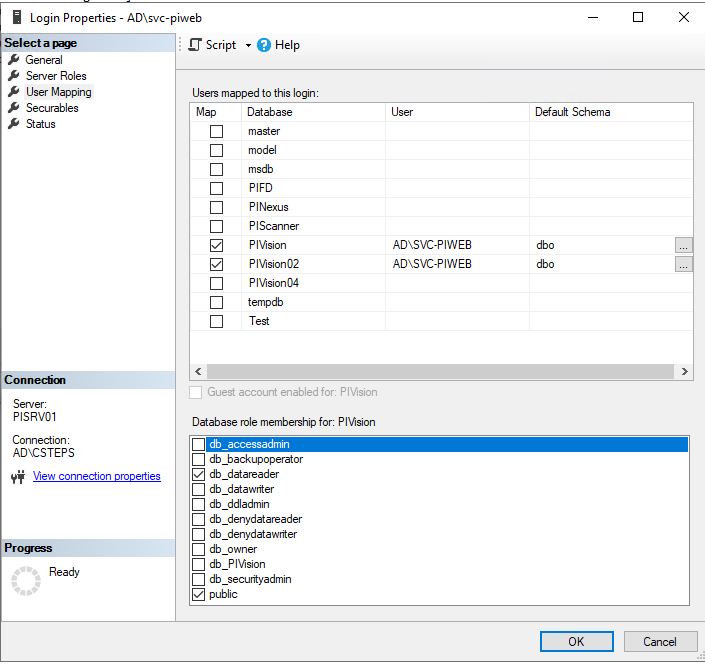

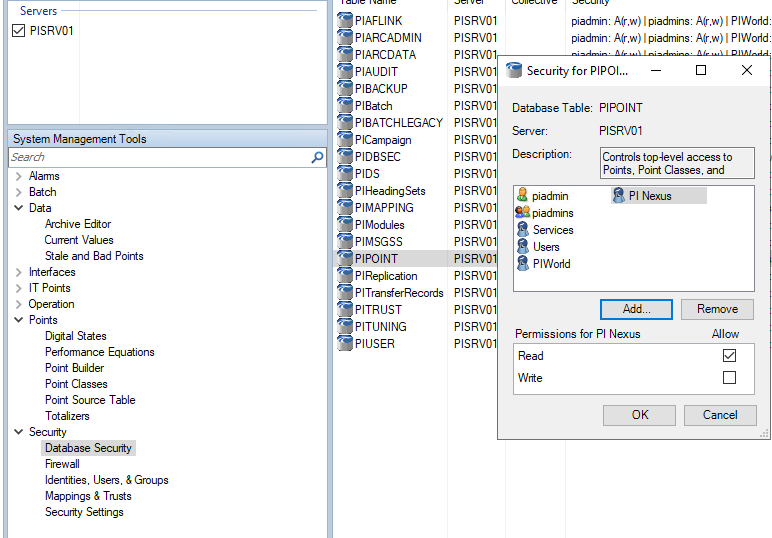
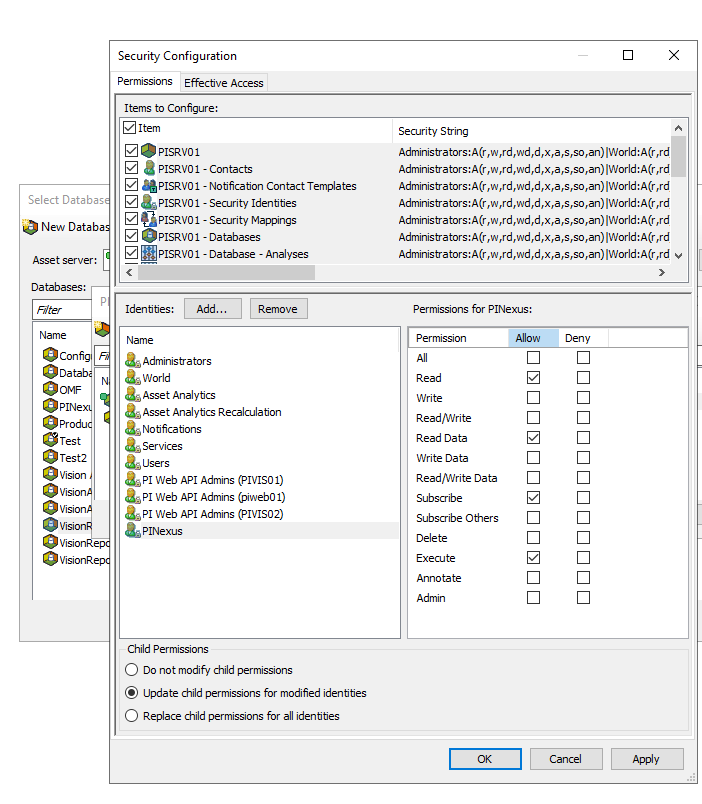
The exact PI security configuration depends on the PI System security model in the environment. If the service account cannot read PI Points, AF attributes, AF analyses, or PI Vision display records, scans will either fail or produce incomplete inventory.
A good result for this section is that the service account can browse PI Data Archive and AF from the PI Nexus+ server using the installed PI client tools, and can read the PI Vision SQL database if PI Vision inventory will be configured.
4.3 Confirm the Account Resolves
Before installing, confirm Windows can resolve the service account on the PI Nexus+ server. This catches spelling, domain, and connectivity problems before the installer tries to assign the account to IIS or the scanner service.
Run this in PowerShell on the PI Nexus+ server:
$account = [System.Security.Principal.NTAccount]'DOMAIN\svc-pinexus'
$account.Translate([System.Security.Principal.SecurityIdentifier])
Replace DOMAIN\svc-pinexus with the actual service account. The command should return a security identifier. If it throws an error, fix the account name or domain connectivity before continuing.



