



PI Nexus+ / User Guide
AF Elements
The AF Elements page rolls up health from child attributes and analyses.
Overview
The AF Elements page rolls up health from child attributes and analyses.
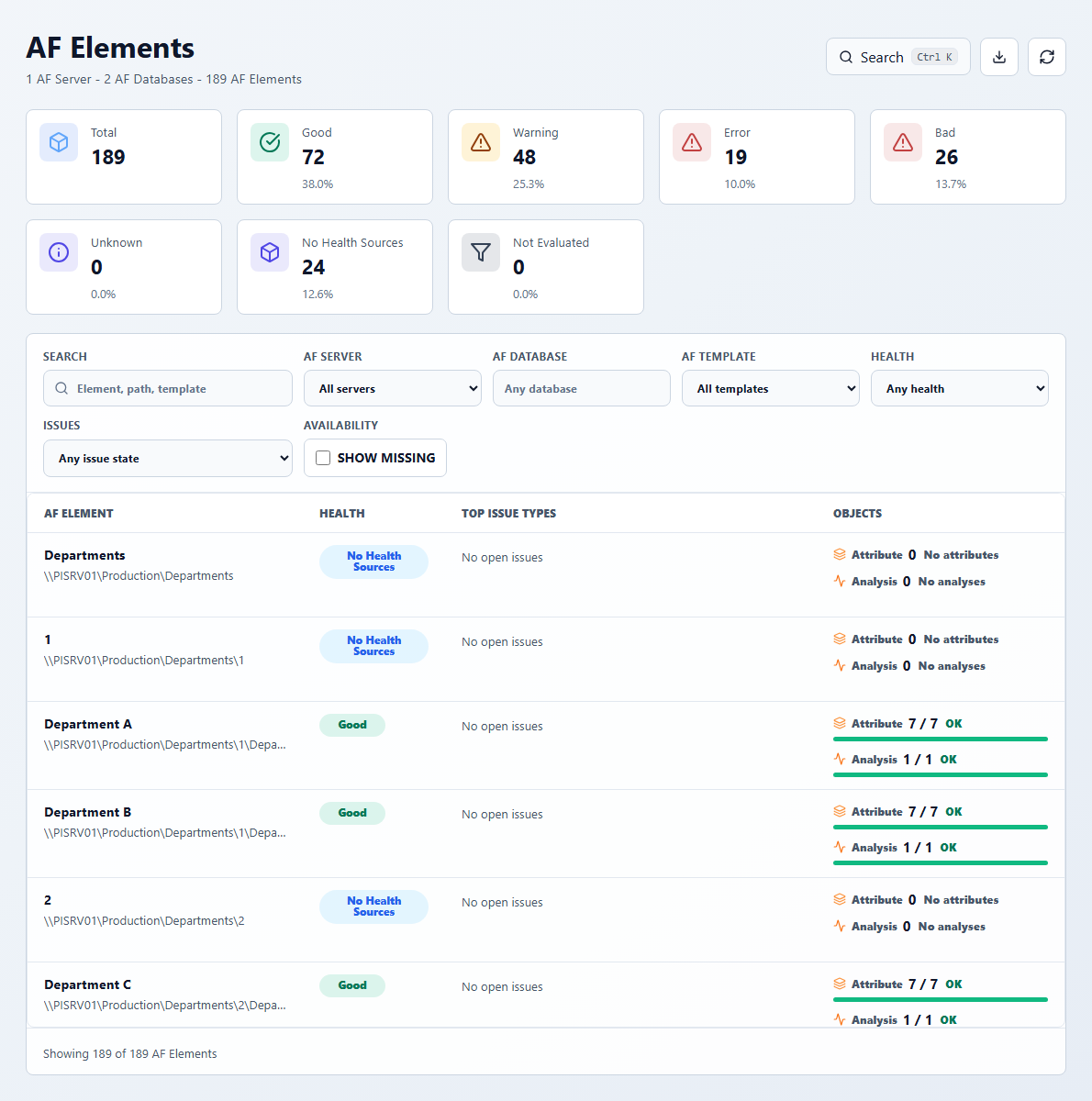
Use this page to answer:
- Which AF Elements concentrate unhealthy child objects?
- Which elements have no scanned health sources?
- Which template or database area is producing the most errors or warnings?
- Which attributes or analyses need attention inside an element?
Key KPIs:
- Total: active AF Elements in the current inventory.
- Good / Warning / Error / Bad / Unknown: element health rollups.
- No Health Sources: elements where PI Nexus+ did not scan health-producing child objects.
- Not Evaluated: elements that cannot currently be evaluated.
Useful filters:
- Search by element, path, or template.
- Filter by AF server, AF database, AF Template, health, or issue state.
- Enable Show missing to include elements not found in the latest scan.
Open an AF Element to review its child attributes and analyses, health drivers, related issues, template context, and change history.
AF Element detail
The header summarizes element health, child attribute count, analysis count, and open issues. Issues is a health-driver view: it groups the child attributes and analyses that currently explain the element's rollup and lets you open those child objects. Attributes & Analyses is the complete child-object list. Basic Information shows identity, path, description, inventory state, AF Server, AF Database, database path, element template, and template path. Use Change History for element-scoped changes. There is no Dependency Graph tab on an AF Element detail; start graph tracing from one of its child attributes or analyses.



